How to Track Kindle and Physical Books in One Place
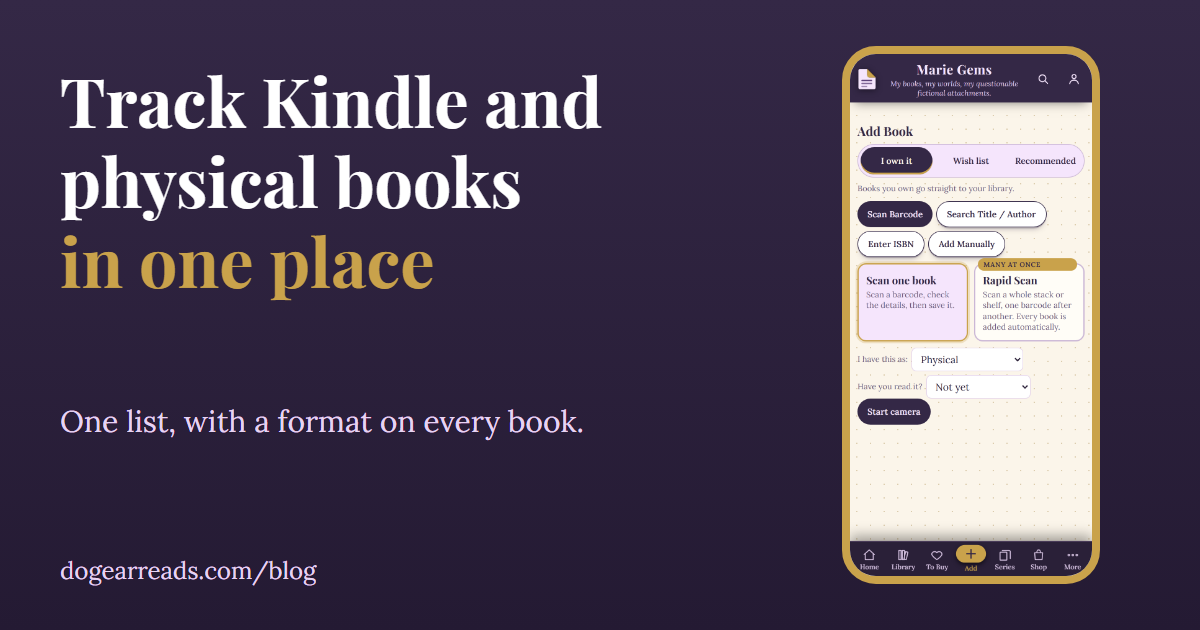
The short answer: to track Kindle and physical books in one place, keep a single list where every book has a format, such as physical, ebook, audiobook or borrowed. Then filter that list by format when you want to see only one kind, and keep a book you own twice as one entry with two formats instead of two entries.
Most readers end up with books in three places: a shelf, a Kindle and an audiobook app. Each one only knows about its own books, so nothing tells you what you actually own or what you finished this year. One list fixes that, and it does not need to be fancy. A spreadsheet works. So does a book tracker. What matters is the rules you use, so here they are first, and then how Dog-Ear does it.
Why one list beats three
- You see what you own. Before you buy the paperback of a book you already have on Kindle, you can check in one place.
- Your reading history stays whole. A year of reading split across three apps is three partial years. One list gives you one count.
- Your to be read pile is honest. Unread Kindle books hide easily. On one list they sit next to the unread paperbacks, so you can see the real pile. See what a TBR is and how to get through it.
- You can still look at one kind. A format on each book means you can filter down to just the audiobooks for a long drive.
How to record a format
Whatever tool you use, give every book one thing that says how you have it. Keep the choices short, because you will pick one every time you add a book.
| Format | Use it for |
|---|---|
| Physical | Paperbacks and hardcovers on your shelf. There is no need to split them unless you want to. |
| Ebook | Books you bought for an ereader or a reading app. |
| Audiobook | Books you bought or own as audio. |
| Borrowed | Library loans and books a friend lent you, so they do not look like part of your collection. |
Record the format when you add the book, not later. It takes a second then and a whole evening after you have two hundred books.
What to do about a book you own in more than one format
This is where lists get messy. You buy the Kindle book, love it, then buy the paperback for the shelf, and later the audiobook for the car. A simple rule keeps it tidy.
- One book, several formats. Keep one entry for the book and tick every format you have. Do not make a second entry for the same story.
- Status belongs to the book. You read it once, so it is read once, whichever format you finished it in.
- Rating belongs to the book too. You liked the story, not the file type.
- A different edition is still the same book. A reissue with a new cover is the same story. Only track a separate edition if you care about that exact copy.
Do audiobooks count?
That is up to you, and reasonable readers disagree. If you want your yearly total to include them, count them. If you want a separate number, use the format filter and count the audiobooks on their own. Having the format on every book lets you do either without redoing anything.
How to track Kindle and physical books in one place with Dog-Ear
Dog-Ear is a book tracker built around this idea. Every book you own has one or more formats, and everything lives in one library. Here is what it does, checked in the app.
- Choose a format when you add. On the Add screen, with I own it selected, the I have this as menu offers Physical, Kindle / eBook, Audible audiobook and Borrowed. It is there whether you scan a barcode or search by title.
- Tick more than one on the book page. Each book has a Formats owned section with checkboxes for Physical, Kindle, Audible, Borrowed, Kindle Unlimited and Preordered. Tick as many as you have.
- Filter by format. In My Library, tap Filters and pick a format to see only those books.
- See the mix in your stats. The stats page has a Physical vs Kindle / eBook chart for the books you finished. A book you own in both kinds counts in both bars.
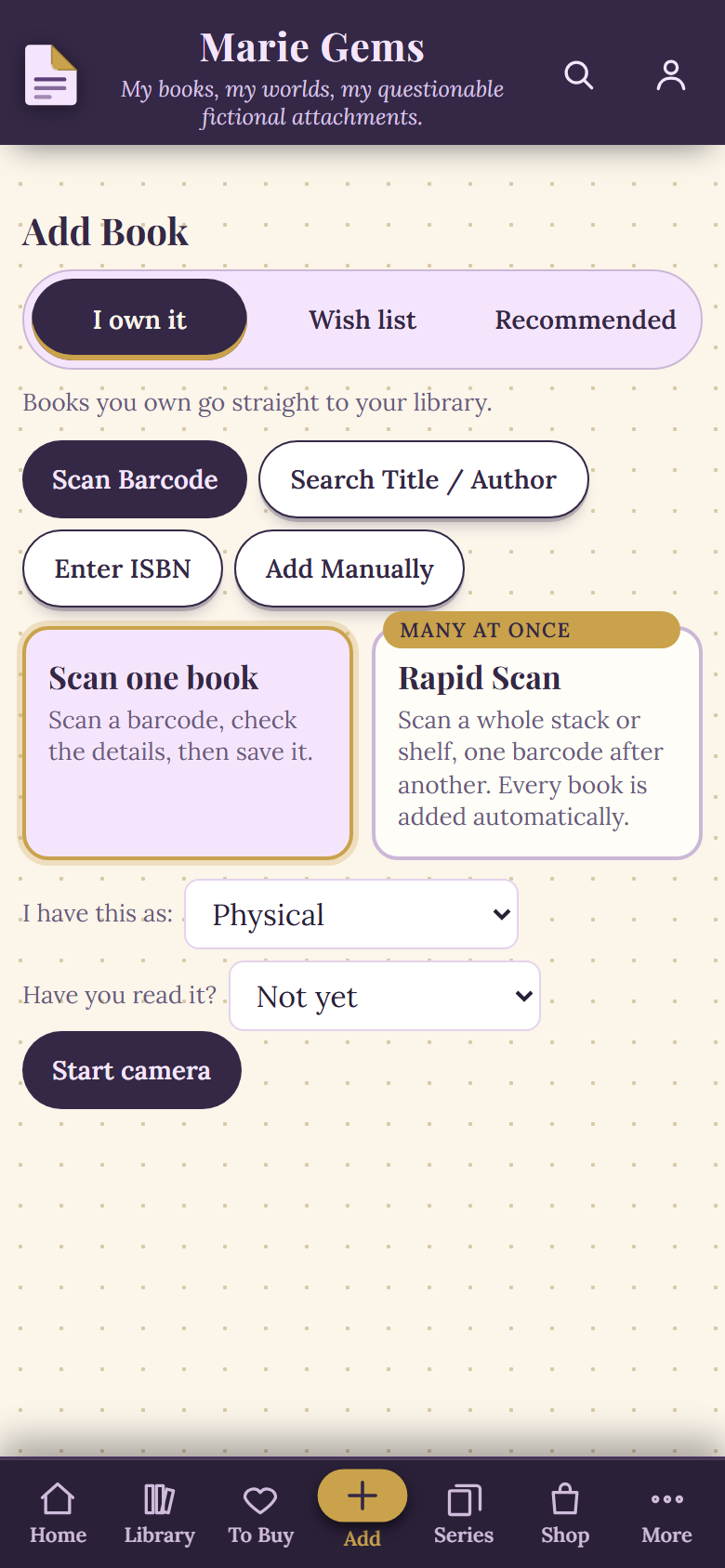
The Add Book screen, with the format menu under I have this as, in a sample library.
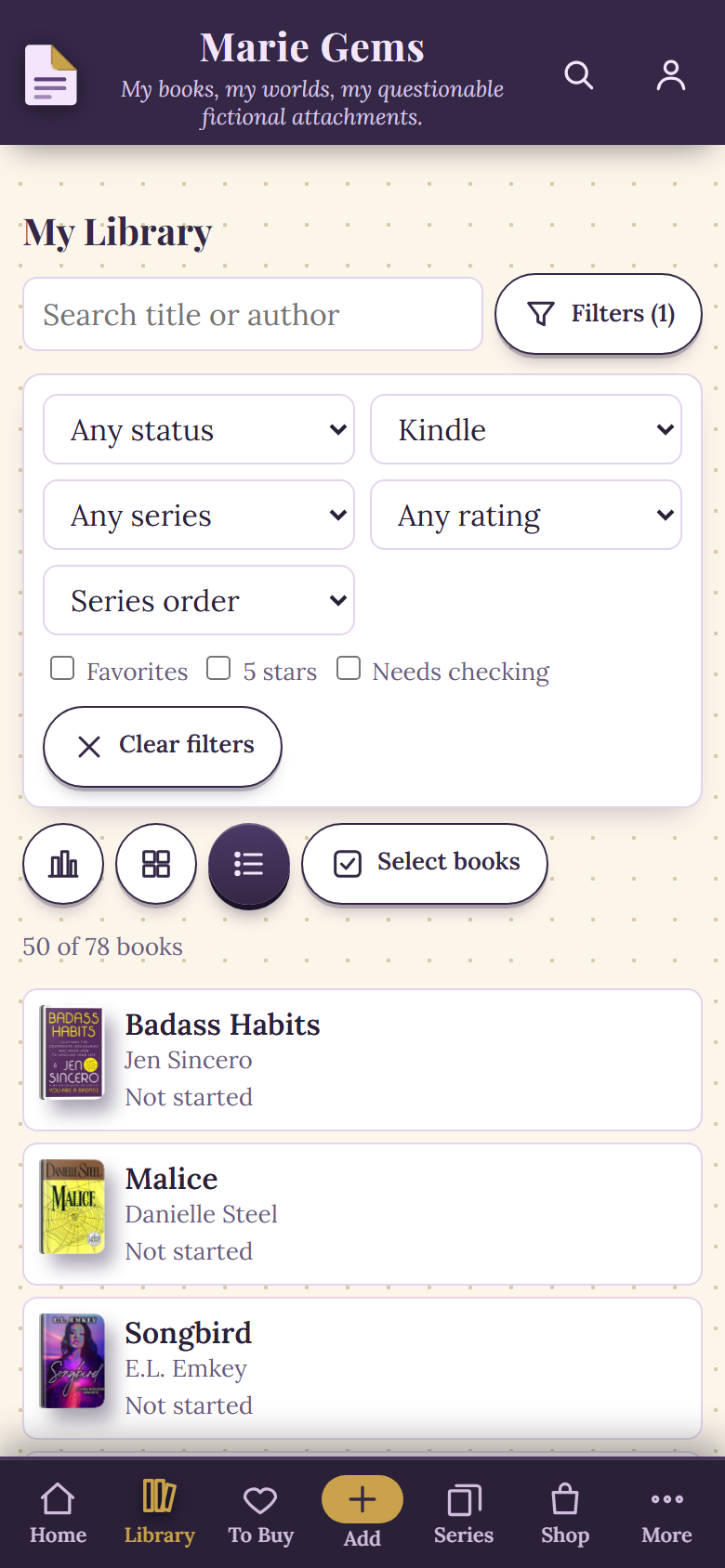
My Library filtered to Kindle books, in a sample library.
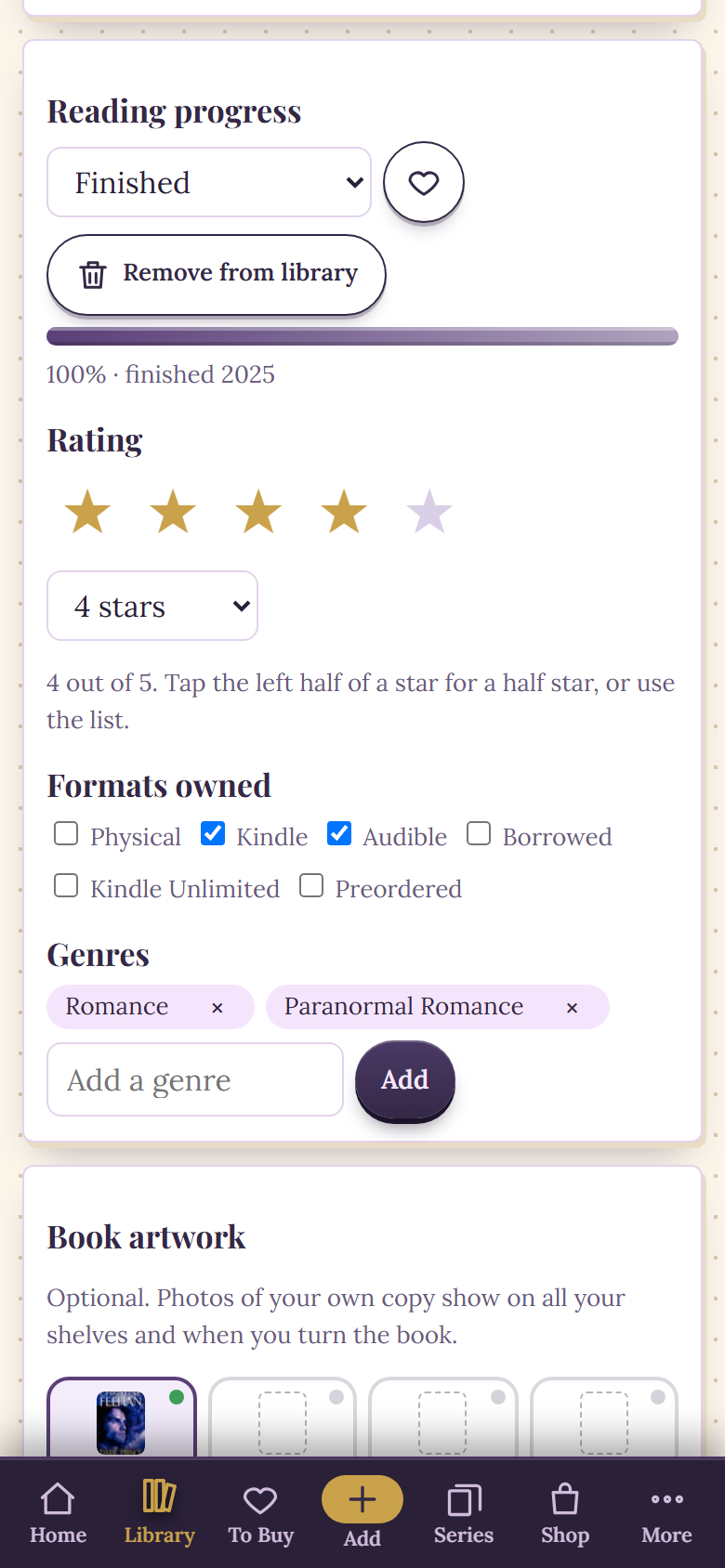
The Formats owned section on a book page, with two formats ticked, in a sample library.
When you add a book you already own
If you add a book you already have in a different format, Dog-Ear does not create a second book. It tells you that you already own it and asks whether to add the new format too. Say yes and it shows under one book with both formats. If you add the same format again, it tells you that you already have it and changes nothing. Rapid Scan is more careful still: when it meets a book you own in another format, it flags it instead of guessing, and gives you an Add as another format button. More on that in how to scan your whole bookshelf.
Bringing in your Kindle books
To be clear about what this is not: Dog-Ear does not sync with Kindle, Libby or Audible. It tracks books you add. Nothing shows up on its own after a purchase or a loan.
The quickest way to bring a big list across is an import. Dog-Ear reads a Goodreads or StoryGraph export file, any spreadsheet with Title and Author columns, or a pasted list. If your Kindle books sync to Goodreads, exporting from Goodreads brings them along. There is one thing to know about formats: you pick a single format for the whole file on the import screen, under I own these as, and every book in that file gets it. The import does not read a format for each book. If your file is mixed, import the Kindle books in one file and the audiobooks in another, or fix individual books afterwards under Formats owned. Books you already have are skipped. The full walkthrough is in how to move from Goodreads to Dog-Ear.
When this is not for you
- If you only read on one device and never buy physical books, a tracker with a format field adds little. Your Kindle already shows you what you have.
- If you want your Kindle, Libby or Audible activity to appear on its own, Dog-Ear will not do that, because it does not connect to them.
- If you want a social feed of friends and their reviews, Dog-Ear is a private journal. See Goodreads alternatives for physical books for how it compares.
A simple way to start today
- Pick your formats: physical, ebook, audiobook, borrowed.
- Add the books you are reading right now first, with their formats.
- Add the shelf with a barcode scan, and your Kindle books by title search or an import.
- Whenever you buy a book you already own in another format, add the format to the same book.
Everything above about Dog-Ear was checked in the app and its code on October 16, 2026. Features can change, so check the app if something looks different.
One library for every format
Free for up to 50 books, then $29, one time, no subscription.
Get Dog-Ear for $29Questions
How do I track Kindle and physical books in one place?
Use one list with a format on every book. In Dog-Ear, tap Add, pick Physical, Kindle / eBook, Audible audiobook or Borrowed under "I have this as", and every book lands in the same library. A format filter then shows just the Kindle books, just the audiobooks, or just the paperbacks.
What if I own the same book as a Kindle book and a paperback?
Keep it as one book with two formats. When you add a book you already own in another format, Dog-Ear asks if you want to add the new format, and then shows it under one book with both formats. Your reading status and rating belong to the book, not to a format.
Does Dog-Ear sync with Kindle, Libby or Audible?
No. Dog-Ear tracks books you add yourself, by scanning, searching, typing or importing a Goodreads or StoryGraph file. It does not connect to Kindle, Libby or Audible, so nothing appears automatically after a purchase or a loan.
Can I import a Goodreads or StoryGraph file and keep formats?
You choose one format for the whole file when you import, such as Kindle or Audible audiobook, and Dog-Ear applies it to every book in that file. It does not read a separate format for each book. Change individual books afterwards on the book page, under Formats owned.
Do audiobooks count as books I have read?
In your own tracker, that is your call. In Dog-Ear an audiobook is a format of a book, so finishing it marks the book as read like any other. The stats page shows your physical books and your Kindle, eBook and audio books side by side.
Related: Book tracker apps with no subscription, A free book tracker for up to 50 books, Catalogue your home library without quitting, Your year in books.