How do you start a book club on Dog-Ear?

The short answer: in Dog-Ear, open Friends, tap Book clubs, name your club and tap Start club, then invite friends you have already added. Each friend has to accept, and a club holds up to 8 people. It is free on every account, and it is text only, so there are no video calls.
If you want to start a private book club with friends, the hard part is rarely the book. It is getting everyone in one place, agreeing on what to read next, and not ruining the ending for the person who is only on chapter ten. A Dog-Ear club handles those three jobs and nothing else. It is a small, invite only room tied to the books on your shelf.
What you need first
- Accepted friends. A host can only invite people who are already their friends in Dog-Ear, and a friend request counts only once it is accepted. Here is how to add a friend.
- A Dog-Ear account for each person. The free plan is enough. Clubs, friends and messages are free on every account.
- Friends who allow invitations. In Friends settings there is a switch, "Friends can invite me to book clubs". If a friend turned it off, you cannot invite them.
How to start a private book club, step by step
- Open Book clubs. Go to Friends and tap Book clubs.
- Name it. Type a club name (3 to 40 characters, for example Dragon Readers) and tap Start club. Club names follow the message rules, so no links, email addresses or phone numbers. You can rename it later.
- Invite your friends. Inside the club, choose a friend under Invite a friend and tap Invite. They get an invitation and have to accept before they can see anything.
- Set the current book. Open Club book, poll and color, pick a book from your own shelf and tap Set as current book.
- Say hello. Write the first message. That is a club.
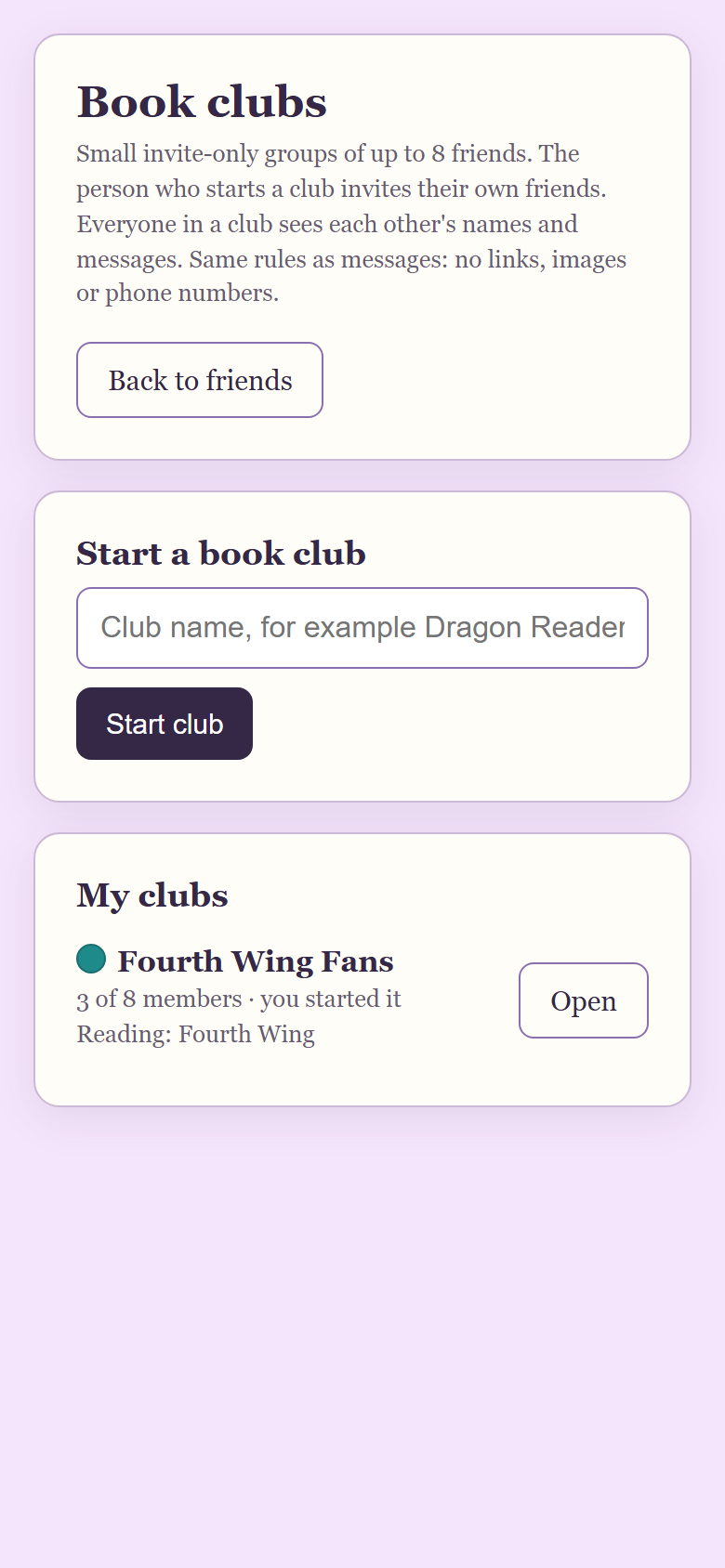
The Book clubs page, in a sample library with two demo readers.
Who can see what
Everyone in a club sees each other's names and messages, even if two members are not friends with each other. That is worth telling your group before you invite them. A club holds up to 8 people including you, and an invitation nobody has answered yet holds a seat. A new member only sees messages sent after they joined, so nobody can scroll back through old chat. Messages are kept for up to 180 days.
Pick the current book and see who has finished
The host sets the current book from their own shelf. Members see it at the top of the club with how many people have finished, for example "3 of 5 members finished". It is a count only. Dog-Ear does not show who finished or who is still reading. Each member taps I finished it themselves, and can tap again to undo it. A member can also tap Add to my Maybe list to save the club pick to their own library.
Choose the next book with a poll
- The host picks 2 to 4 books from their own shelf and starts the poll.
- Each member gets one vote and can change it until the poll closes.
- Members see vote counts but not who voted for what.
- The host closes the poll. The book with the most votes wins, and if two tie, the one listed first wins. With no votes there is no winner.
- The host can tap Make it the current book.
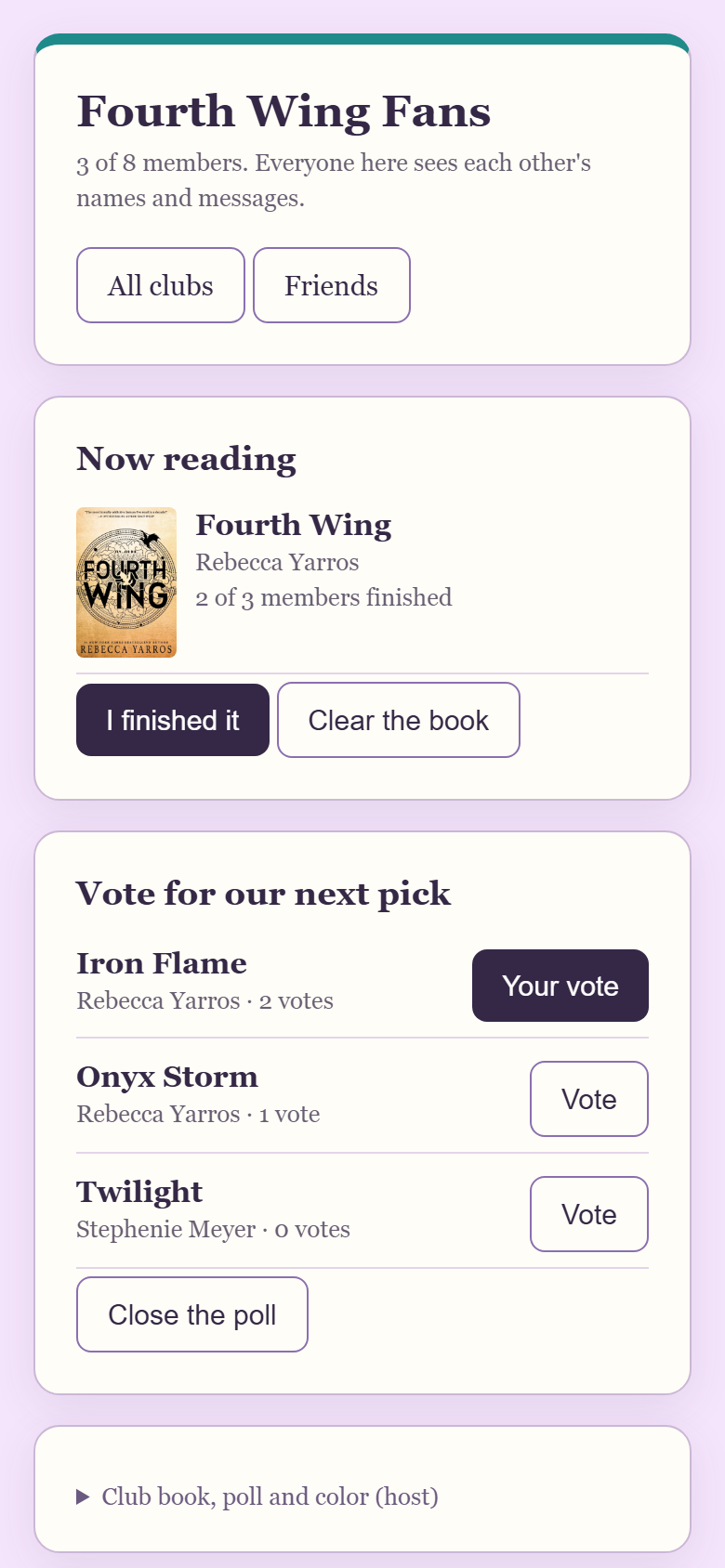
The current book with the finished count, and an open poll, in a sample library with two demo readers.
Spoiler tags, a pinned message and a club color
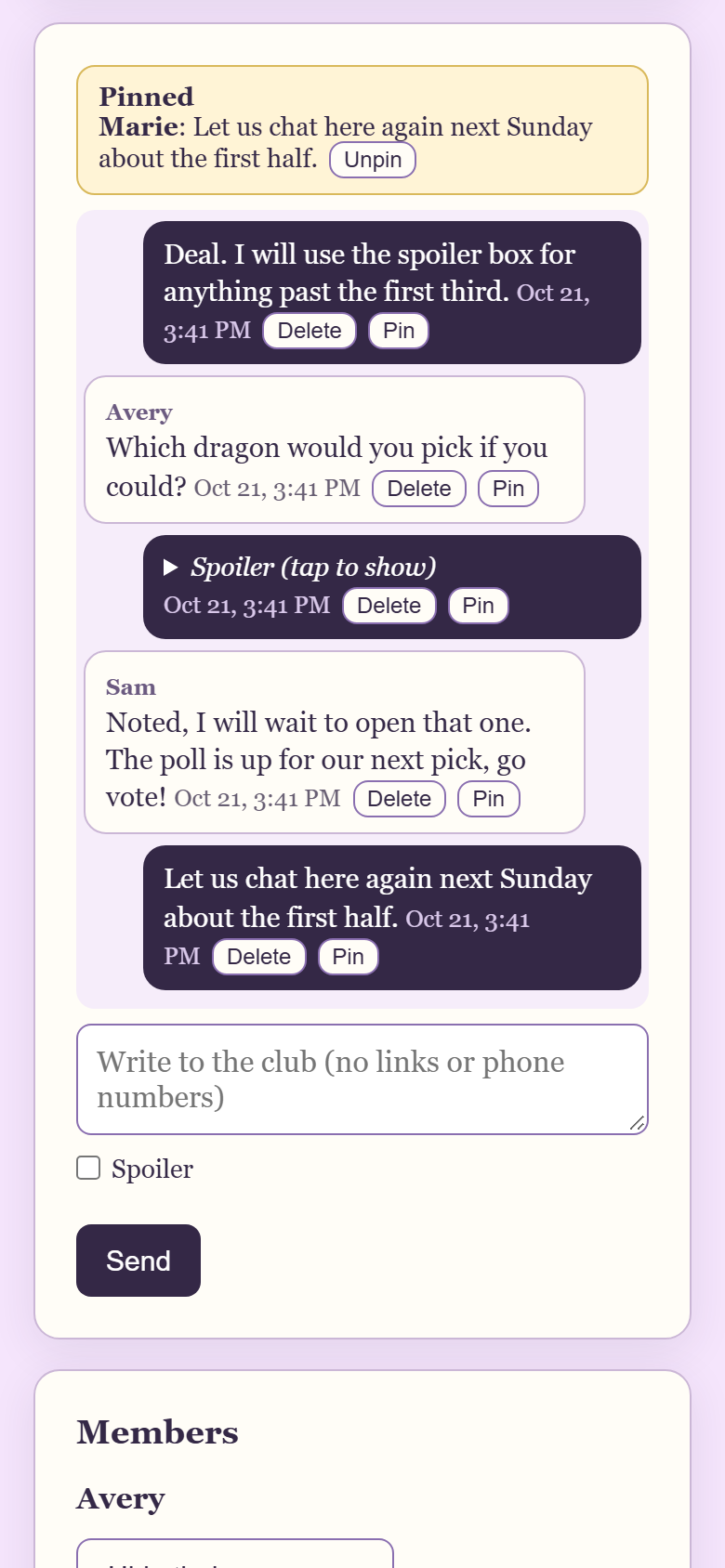
The club chat with a pinned message and a hidden spoiler, in a sample library with two demo readers.
- Spoiler tag. Tick Spoiler before you send and the message shows as "Spoiler (tap to show)" until someone taps it.
- Pinned message. The host can pin one message, such as the reading schedule. Pinning another replaces it, and the host can unpin it.
- Accent color. The host picks one of six colors (purple, rose, teal, gold, green or blue) so the club is easy to spot in your list.
- Mute. Under Mute, report, leave you can mute a club so it stops sending you phone alerts.
What the host can do and what a member can do
| Action | Host | Member |
|---|---|---|
| Send messages and use spoiler tags | Yes | Yes |
| Delete own message | Yes, within 10 minutes | Yes, within 10 minutes |
| Vote in a poll, tap I finished it | Yes | Yes |
| Hide one member's messages (only for yourself) | Yes | Yes |
| Mute, report, leave | Mute and report. To step away, hand over or close the club | Yes |
| Invite friends, remove people | Yes | No |
| Set the current book, start and close polls | Yes | No |
| Pin a message, change the color, rename the club | Yes | No |
| Delete anyone's message | Yes, it shows "Message removed by the host" | No |
| Hand the club to another member, or close it | Yes. Closing deletes the messages for everyone | No |
If someone is a problem, any member can use Report this club. A copy of the last 20 messages goes to the maker of Dog-Ear so they can see what happened. The club also has to stay kind: no harassment, threats or hate.
What goes in a message
Club messages are plain text of up to 500 characters. Links, email addresses, phone numbers, images and files are not allowed, and Dog-Ear will tell you if a message is blocked. That keeps a small group chat from turning into a place to post things you did not mean to share.
Running a good book club, with or without an app
- Pick a cadence and keep it. Monthly is the most common. Some groups prefer every six weeks so people can fit in a longer book. The longer the gap, the easier it is for a club to quietly stop.
- Choose books one way. Everyone suggests a title, you narrow it to two to four, and you vote. A poll beats one person choosing every time, because people read what they helped pick.
- Mix lengths. Follow a long book with a short one. Check that the book is easy to get from a library or your own shelf.
- Keep it small. Eight people is enough for a lively talk even when two or three are behind.
- Agree on spoilers up front. Tag anything about the ending or later chapters, and do not hint at what is coming ("wait until chapter six"). Pick a date after which anything goes.
- Ask broad questions first. What surprised you, which character did you side with, did the ending work. Then go deeper.
When this is not for you
Dog-Ear clubs are made for small groups of friends who already read on Dog-Ear. They are the wrong tool if you want a club for dozens of members or one that strangers can find and join, since the cap is 8 and every member has to be invited. They are also wrong if your group wants to meet by voice or video, or to share photos, PDFs or links. Use a call or a meeting in person for that, and keep the club for the current book, the poll and the chat between meetings.
Honest limits
- Text only. No video, voice, files, images or links.
- 8 people at most, counting the host.
- Everyone needs a Dog-Ear account and has to be friends with the host.
- The current book and poll books come from the host's shelf only.
- You can start up to 5 clubs and be in up to 10.
- Messages are deleted after 180 days, and when a host closes a club.
Start your club this week
Clubs are free on every account. The free plan holds 50 books, and the full version is $29, one time, no subscription.
Get Dog-Ear for $29Questions
How many people can be in a Dog-Ear book club?
Up to 8, counting you. An invitation that has not been answered yet holds a seat until it is accepted, declined or removed.
Can I join a book club without being friends with the host?
No. The host can only invite their own accepted friends, and you have to accept the invitation. Everyone in the club then sees each other's names and messages, even if two members are not friends.
Can I see messages from before I joined?
No. New members only see messages sent after they joined.
How does the next book vote work?
The host picks 2 to 4 books from their own shelf. Each member gets one vote and can change it until the host closes the poll. The host can then make the winner the current book.
Can we share links, photos or files in a club?
No. Club messages are text only, up to 500 characters, with no links, email addresses, phone numbers, images or files.
Does Dog-Ear have video or voice calls for book clubs?
No. Clubs are text only. If your group wants to meet face to face, use a call or a meeting in person and keep the club for the book, the poll and the chat in between.
Related: How to add a friend on Dog-Ear, How to send a book recommendation to a friend, Who can see your bookshelf on Dog-Ear, What is a TBR and how to get through it, Free book tracker, 50 books.