Who can see your bookshelf on Dog-Ear?
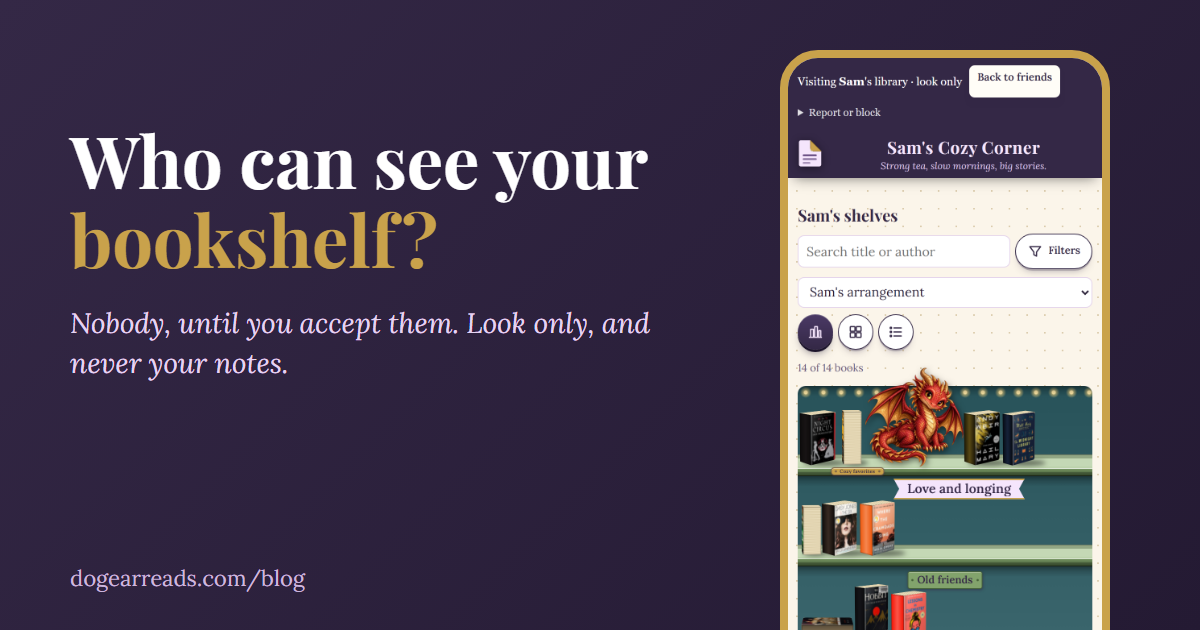
The short answer: nobody can see your bookshelf on Dog-Ear until you accept them as a friend. A new library is private. After you accept someone, they can look at your covers, titles, authors, reading status and star ratings, but never your notes, quotes, journal, reading dates, wish list or email address.
If you are asking who can see your bookshelf before you try a reading app with friends in it, that is a fair worry. A bookshelf says a lot about a person. This guide lists exactly what Dog-Ear shows, to whom, and how to take it all back. It is written from how the app works today, and it covers the limits that no setting can fix.
By default, nobody sees anything
Your library is private from the first book you add. Friends is optional, and it does nothing until you add someone. There is no public profile page, no feed of strangers, and nobody can find you by searching unless you turn that on yourself. If you never want a social feature, you can ignore Friends completely and use Dog-Ear as a private reading journal.
The only way in is a friendship you agree to. You can send your private friend link to someone you know, and they can ask to be your friend. You see the request and you accept or decline. It works the same in the other direction: you cannot look at anyone's shelves until they accept you.
What a friend can see versus never see
A friend you accept can visit your shelves. A visit is look only: they cannot change, add or delete anything. Here is the full list.
| A friend can see | A friend can never see |
|---|---|
| Covers, titles and authors of the books on your shelves | Your notes and quotes |
| Reading status, and your star ratings | Your journal pages and journal photos |
| Series names | Reading dates (when you started or finished) |
| Your library name, tagline and colors | Your wish list and Maybe list |
| How you set up your shelves: look, layout and decorations | Your email address |
| The name you picked for friends | Your Books to Buy list and collection shelves |
A few details matter here. Friends only see books that are on your shelves, meaning books you own, have finished or are reading. Anything you only want to read stays off. If you added photos of the spine or edge of your own copies to make a shelf look like the real one, those travel with the shelf, so treat them as visible. Friends see the name you chose, not your email.
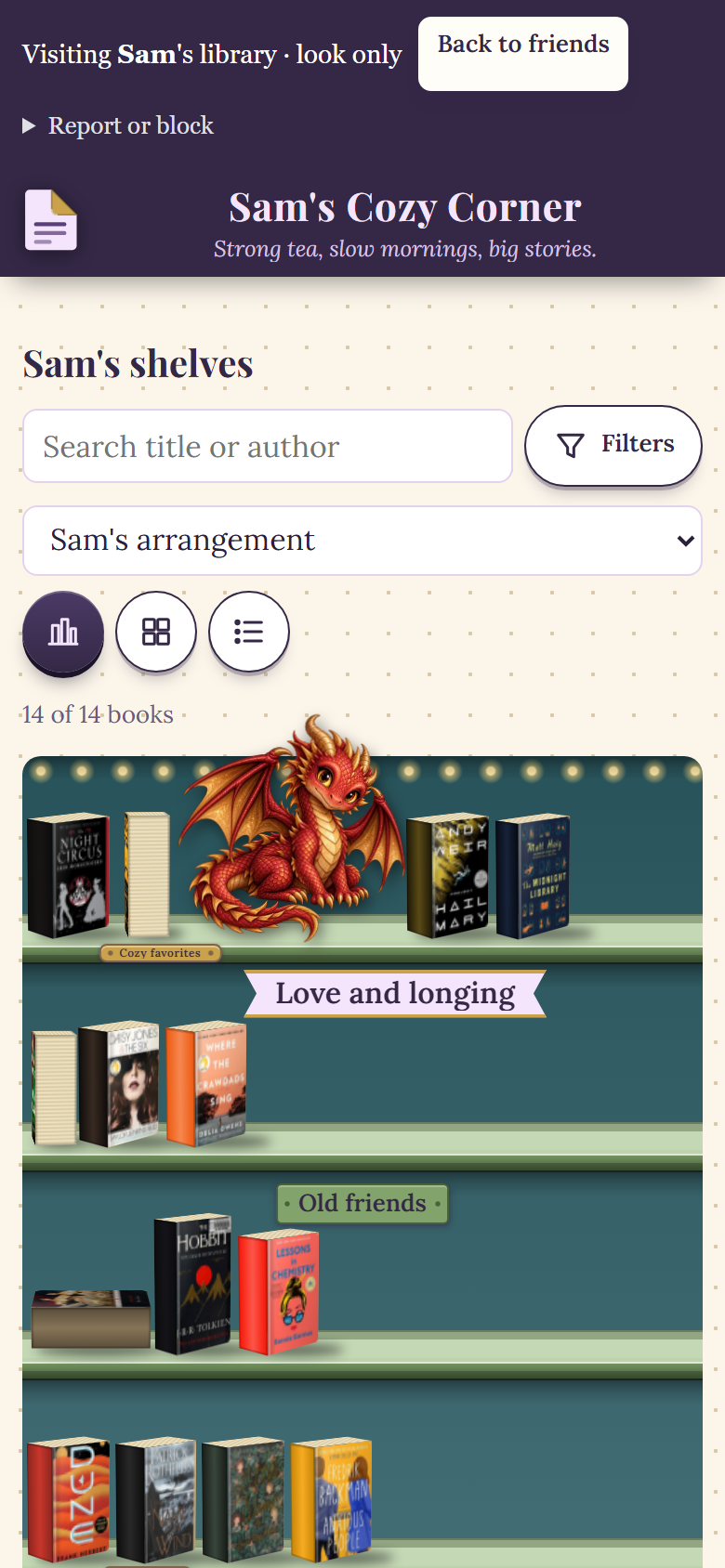
What a visit looks like, in a sample library with two demo readers.
The switches in What friends can do
On the Friends page you decide what friends are allowed to do. Each one is a tick box.
| Switch | What it does | Default |
|---|---|---|
| Friends can visit my shelves | Turn it off and every friend is locked out right away. You stay friends. | On, but it only matters once you accept someone |
| Show friends what I start and finish reading | Friends see the title and author only, never dates, notes or ratings. | Off |
| Friends can react to books | Three fixed reactions, for example "Want to read this". No free text. | On |
| Friends can send me messages | Short text only, from accepted friends. | On |
| Friends can invite me to book clubs | Only friends you accepted can invite you, and you accept or decline. | On |
| Phone alerts | Works only after you turn alerts on for a phone. | Off until you set up a phone |
| Let other readers find me | Readers 18 and older only. Search shows your name and library name, nothing else. | Off |
Even when you are found by name, all anyone can do is ask. Every request still needs your yes, and nobody sees a shelf before that.
The creator's own library works the same way
The creator of Dog-Ear has a library like anyone else. Readers can ask to be her friend from their Friends page, and she accepts each request herself. Until she does, nobody sees her shelves either.
Blocking, removing and reporting
- Remove a friend. The friendship ends. Books sent but not yet answered, reactions and messages between you are deleted.
- Block. Same cleanup, and they cannot see your library or ask again. Unblocking does not make you friends again.
- Report. From a friend's library or a conversation you can report someone. The report goes to the person who runs Dog-Ear, and the other reader is not told who reported them. Report before you block a conversation, because blocking deletes it.
- New link. If your friend link ends up somewhere you did not mean, make a new one and the old one stops working.
Messages and book clubs: friends only, text only
Messages and clubs are for accepted friends, and they are text only. Links, email addresses, phone numbers, images and files are not allowed. A message can be up to 500 characters. You can delete your own message in the first 10 minutes, mute a conversation, or switch messages off.
A book club holds up to 8 people. The person who starts it invites only their own accepted friends, and each person accepts. Everyone in a club sees each other's names and messages, and new members only see what was sent after they joined. You can hide one member's messages for yourself without telling them.
Messages are kept for up to 180 days and then deleted. They are also deleted when a friendship ends or an account is deleted. If you report a conversation, Dog-Ear keeps a copy of its last 20 messages to review it.
Phone alerts and what the app stores
A phone alert is a short note that something happened, such as a new friend request or message. It never says which book or what a message says. You get at most 10 a day, you can pick which kinds you want, and you can set quiet hours. To send them, Dog-Ear stores your phone's notification address and time zone. Turning alerts off removes the address.
Make my library private again
If you tried Friends and want your shelves back to yourself, it takes a minute.
- Open Friends. From your account page, open Friends and visiting.
- Close your library to visitors. In the Let friends visit my library card, untick Friends can visit my shelves and tap Save. Every friend is locked out at once, and you stay friends.
- Switch off the extras. In What friends can do, untick activity sharing, reactions, messages and book club invitations, and make sure being found by name is off. Tap Save.
- Replace your friend link. Tap Make a new link in the Invite a friend card. The old link stops working.
- Remove or block anyone you do not want. Open the More menu next to a friend and choose Remove friend or Block.
If you want everything gone, deleting your account removes your friendships, requests, blocks, friend link, sent and received books, reactions, activity and messages. A report you sent about someone is kept so it can be reviewed.
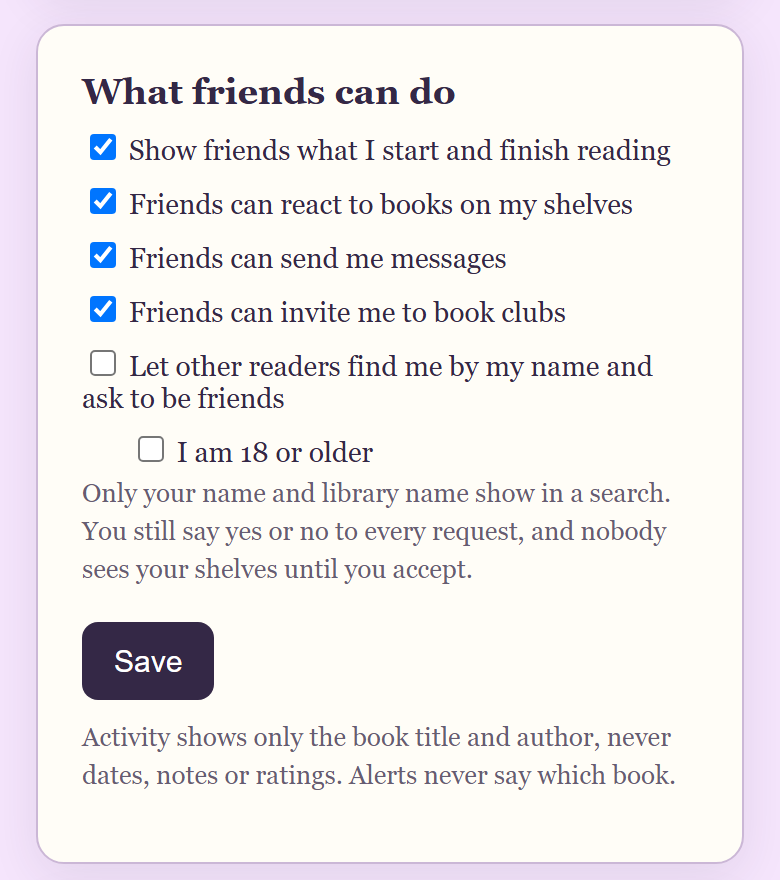
The privacy switches on the Friends page, in a sample library with two demo readers (activity sharing is ticked here for the demo; it starts unticked).
Honest limits
- A friend can screenshot what they see. Dog-Ear cannot stop that. Only accept people you would show a real shelf to.
- You cannot hide a single book from friends. Friends see every book on your shelves. Books you only want to read can stay in your wish list, which they never see.
- Club members can screenshot messages too, and a club host can remove any message in their club.
- Anyone with your friend link can ask. They still cannot see anything until you accept, but share the link carefully.
When this is not for you
If you never want a social feature, you do not need any of this. Friends is off until you add someone, and Dog-Ear works as a plain private reading journal. If you are still comparing apps, see book tracker apps with no subscription.
A library that stays yours
Keep your shelves private, or share them with the few people you pick. $29, one time, no subscription.
Get Dog-Ear for $29Questions
Who can see my bookshelf on Dog-Ear?
Nobody, until you accept them as a friend. A new library is private, and a friend can only see it after you say yes to their request. They can look, but not change anything.
Can a Dog-Ear friend see my notes or journal?
No. Friends never see your notes, quotes, journal, journal photos, reading dates, wish list or email address.
How do I make my Dog-Ear library private again?
Open Friends, untick "Friends can visit my shelves" in the Let friends visit my library card, and tap Save. Every friend is locked out right away, and you stay friends.
Can other readers find me on Dog-Ear?
Only if you choose it. Being found by name is off by default, is for readers 18 and older, and every request still needs your yes.
Can I use Dog-Ear without any social features?
Yes. Friends is optional and does nothing until you add someone. You can ignore it completely.
How long does Dog-Ear keep messages?
Up to 180 days, and they are deleted sooner if the friendship ends or an account is deleted.
Related: How to add a friend on Dog-Ear, How to start a book club on Dog-Ear, How to send a book recommendation to a friend, A free book tracker for 50 books.