How do you send a book recommendation to a friend?
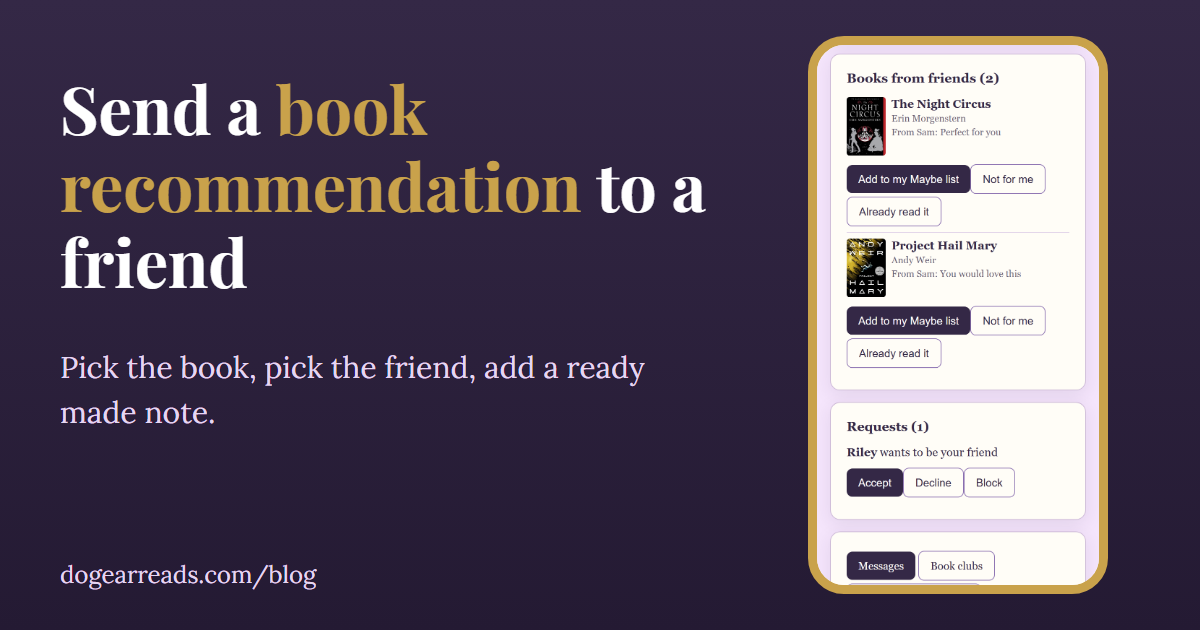
The short answer: to send a book recommendation to a friend, pick the book, tell them why in one line, and send it in a way they can answer without pressure. In Dog-Ear, open Friends, tap Send a book to a friend, choose a book, a friend and one of five ready-made notes, and it lands in their Books from friends with your name on it.
A good recommendation is small. It is one book, one reason, and an easy way for your friend to say yes or no. A text that says "you have to read this" often gets a thumbs up and then disappears into a chat. This post covers how to recommend a book well, with or without an app, and then exactly how Dog-Ear's send a book feature works, including what your friend sees and what it does not do.
How to recommend a book well
- Match their taste, not yours. Think about what they have finished and loved lately. A book can be wonderful and still be wrong for someone who stops reading at the first sign of gore, or who only wants something light this month.
- Give one line on why. "Because you loved the slow burn in that one" beats "it is so good." A specific reason tells your friend you were thinking of them.
- Say how it felt, not what happens. Talk about the moment it hooked you. Leave the twist and the ending for them to find.
- Be honest about the catch. If it starts slowly, or has heavy themes, a quick heads up respects their time.
- Make saying no easy. The best recommendations have no pressure attached. A friend who feels free to pass is more likely to give it a real try later.
Our post on getting through a TBR helps with the other side of this, when a pile of recommendations starts to feel like homework.
How to send a book recommendation in Dog-Ear
You need to be friends with the person first. Friends in Dog-Ear are private: you send a link, they ask, you accept. If you have not done that yet, start with how to add a friend. Sending a book is free for every account.
- Open Send a book. On your Friends page, tap Send a book to a friend. Or tap More beside a friend and choose Send a book to start with that friend already picked.
- Pick the book. Type a few letters to find it on your shelves. Books you own, are reading, or have finished can be sent.
- Pick the friend. Choose one friend you have accepted.
- Pick a note. Choose one of the five ready-made notes (table below).
- Tap Send. Dog-Ear confirms with "Sent to" and your friend's name.
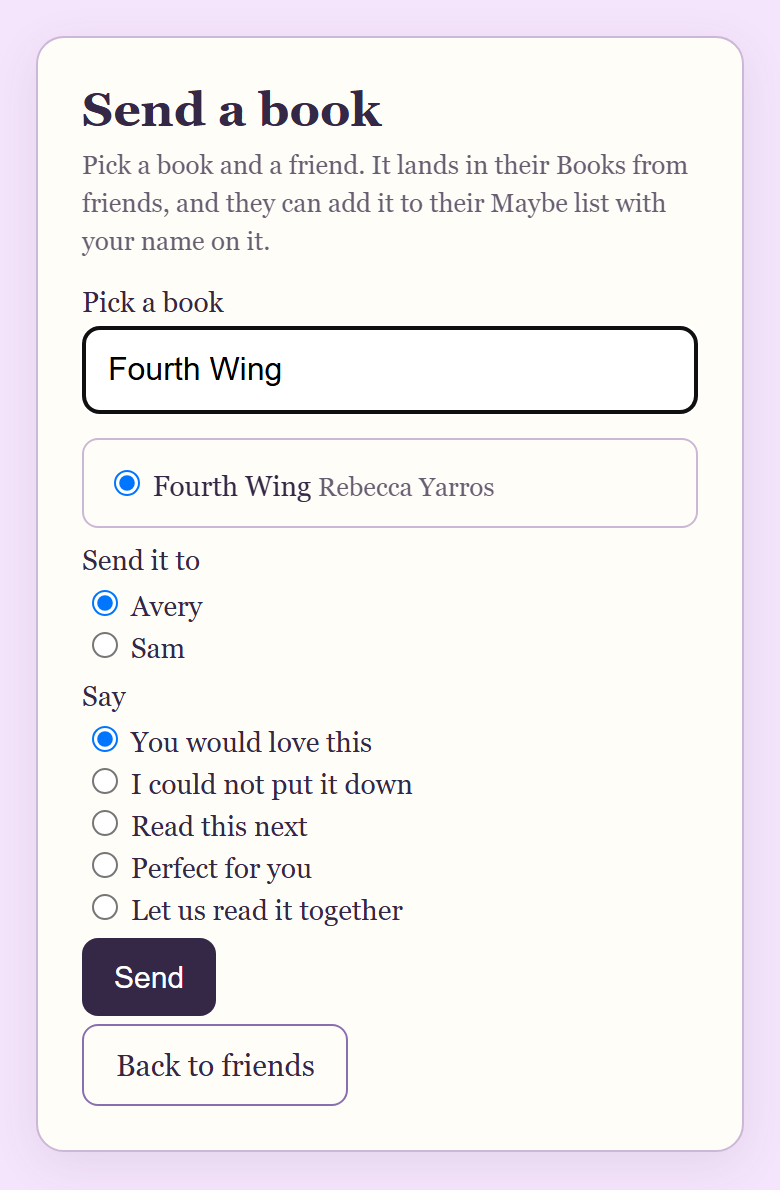
The Send a book page in a sample library with two demo readers.
Sending from a friend's shelf
You can also pass along a book you spot while visiting a friend's shelves. Open the book on their shelf and tap Recommend to a friend. The same page opens with that book already chosen. You then pick a different friend and a note. Only books that are on that shelf can be sent: books they own, are reading, or have finished. Their wish list is never shown to visitors.
The five ready-made notes and when to use each
| Note | When to use it |
|---|---|
| You would love this | The all round choice, when you know their taste well and the match is clear. |
| I could not put it down | For a fast, gripping read. It says more about how it felt than about who it is for. |
| Read this next | When they just finished something and you have the natural follow up. |
| Perfect for you | When it fits one particular friend so well it is almost a little funny. |
| Let us read it together | When you want company with the book, whether at the same time or one after the other. |
What your friend sees
The book appears under Books from friends on their Friends page. Each one shows the cover, title and author, who sent it, and your note, for example "From Sam: You would love this." Under each book are three buttons:
- Add to my Maybe list. The book goes on their Maybe list with "Recommended by" your name and your note attached, so they remember who sent it and why.
- Not for me. The book leaves their list of books from friends.
- Already read it. The same, for books they know already.
Dog-Ear never tells you when a friend says no. You will see a book you sent as "Sent" until your friend adds it, and then as "Added to their list." That keeps recommending light for both of you.
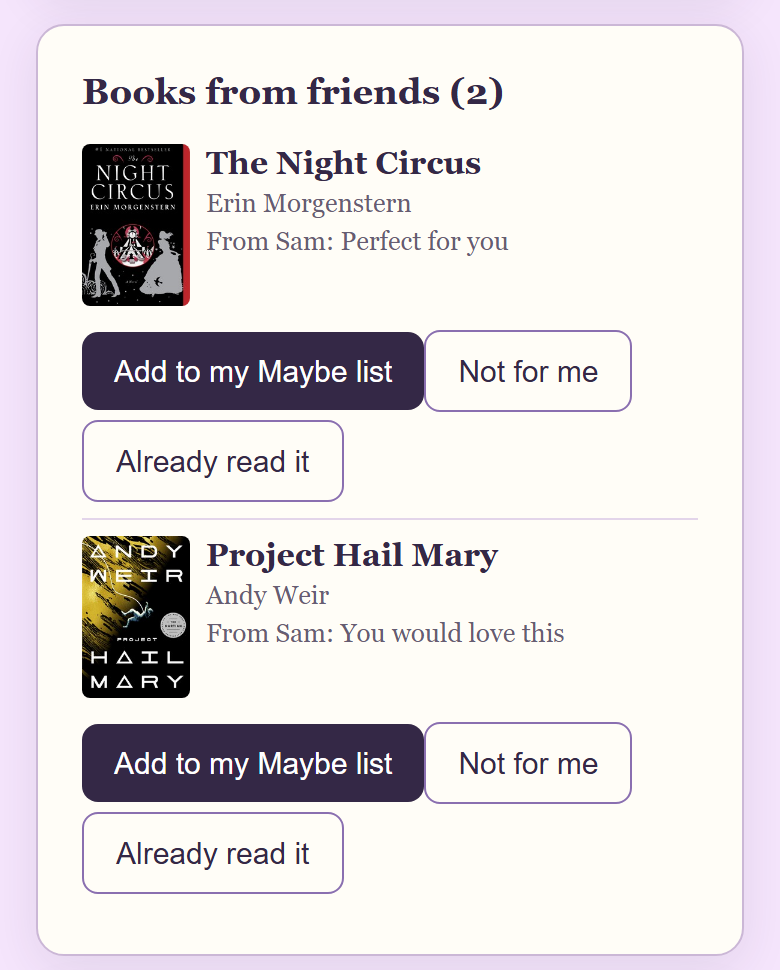
Books from friends, in a sample library with two demo readers.
The optional phone alert
Your friend can turn on phone alerts in Friends, and choose to get one when a friend sends a book. The alert only says "A friend sent you a book." It never names the book or shows your note. There are quiet hours, and no more than 10 alerts a day. If they have alerts off, the book simply waits in Books from friends. The bell count inside Dog-Ear updates either way.
Reacting to a book on a friend's shelf
If you are the one visiting, you can also answer with a tap instead of a message. When a friend allows reactions, each book on their shelf shows three: Want to read this, I loved this one and Read it too. They see your reaction under Reactions on your books. Tap the same one again to take it back. This is the lightest way to say "yes, same" without writing anything.
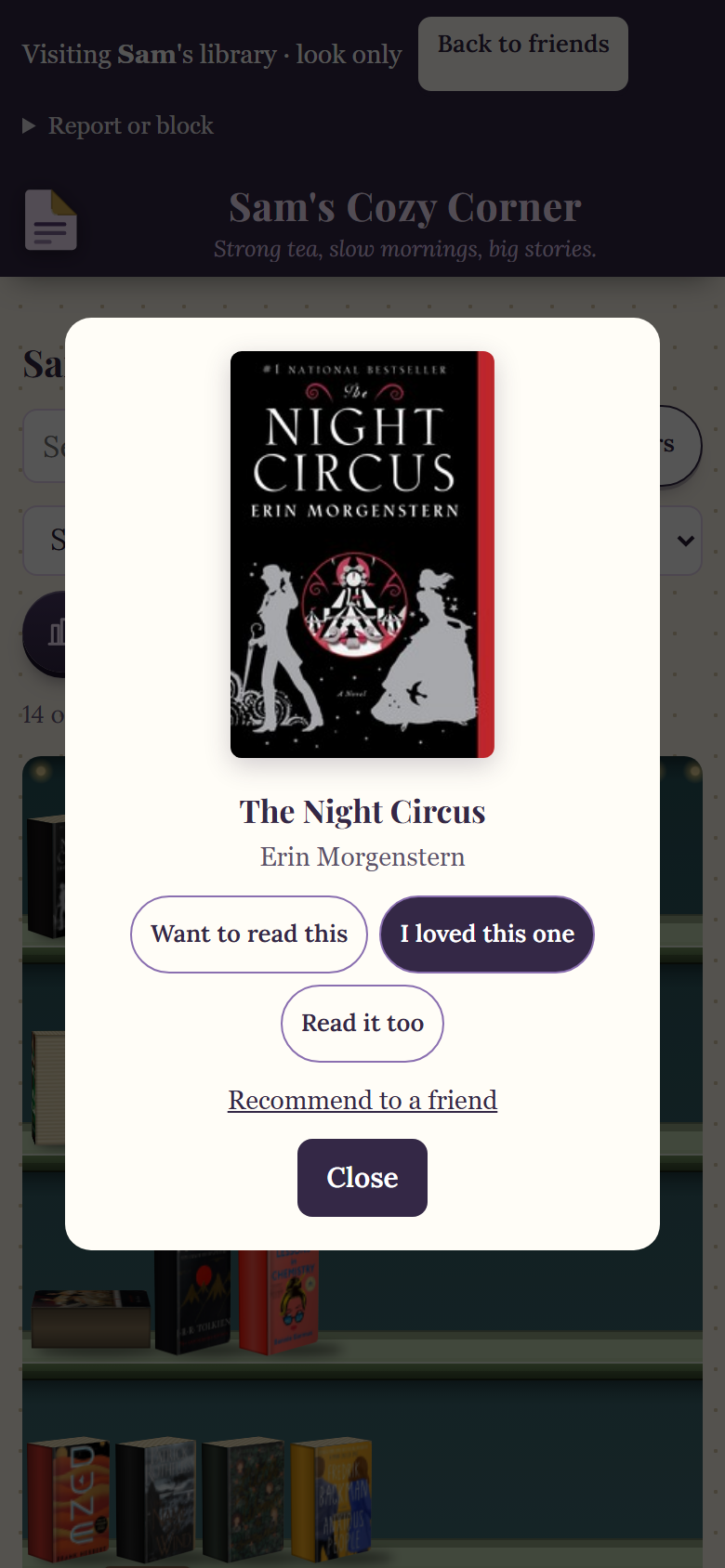
A book on a friend's shelf, in a sample library with two demo readers.
The limits, plainly
| Limit | What it means |
|---|---|
| 10 books a day | You can send up to 10 books in a day. After that Dog-Ear asks you to try again tomorrow. |
| Once per friend | You cannot send the same book to the same friend twice. |
| Inbox cap | A friend can have up to 50 books waiting. If theirs is full, you are told to try later. |
| Friends only | You can only send to friends who have accepted you. There is no sending to people you are not friends with. |
| Ready-made notes only | There is no free text note in a recommendation. Pick from the five. |
| Free plan books | Adding a recommendation to a Maybe list counts toward the free plan's 50 books. A friend on the free plan who is at 50 sees a message to upgrade before it can be added. Dog-Ear is one payment, no subscription. |
When this is not for you
If you want to talk about the book, a recommendation is only the start. Dog-Ear has short text Messages between friends, and small invite only book clubs. See how to start a book club on Dog-Ear. If you would rather a friend never see your shelves at all, read who can see your bookshelf. And if your friends are not on Dog-Ear, a text with the title and one line on why works just as well. The tips above apply anywhere.
Pass a good book along
Send a book to a friend with a note in a few taps. $29, one time, no subscription. Friends and sending books are free for every account.
Get Dog-Ear for $29Questions
How do you send a book recommendation to a friend?
In Dog-Ear, open Friends, tap Send a book to a friend, pick a book, pick the friend and choose one of five ready-made notes. The book arrives in their Books from friends with your name and the note.
Will my friend know which book it is from the phone alert?
No. The optional phone alert only says that a friend sent a book. It never names the book or shows your note.
Does my friend have to add the book?
No. They can add it to their Maybe list, tap Not for me, or tap Already read it. Dog-Ear does not tell you if they pass.
Is there a limit on how many books I can send?
Yes. You can send 10 books in a day, the same book only once to the same friend, and a friend's inbox holds up to 50 books waiting for an answer.
Can I write my own note?
Not in a recommendation. You pick one of five ready-made notes. For anything longer, send your friend a message.
Related: How to add a friend on Dog-Ear, How to start a book club on Dog-Ear, Who can see your bookshelf on Dog-Ear, A free book tracker with 50 books.