How do you add a friend on Dog-Ear?
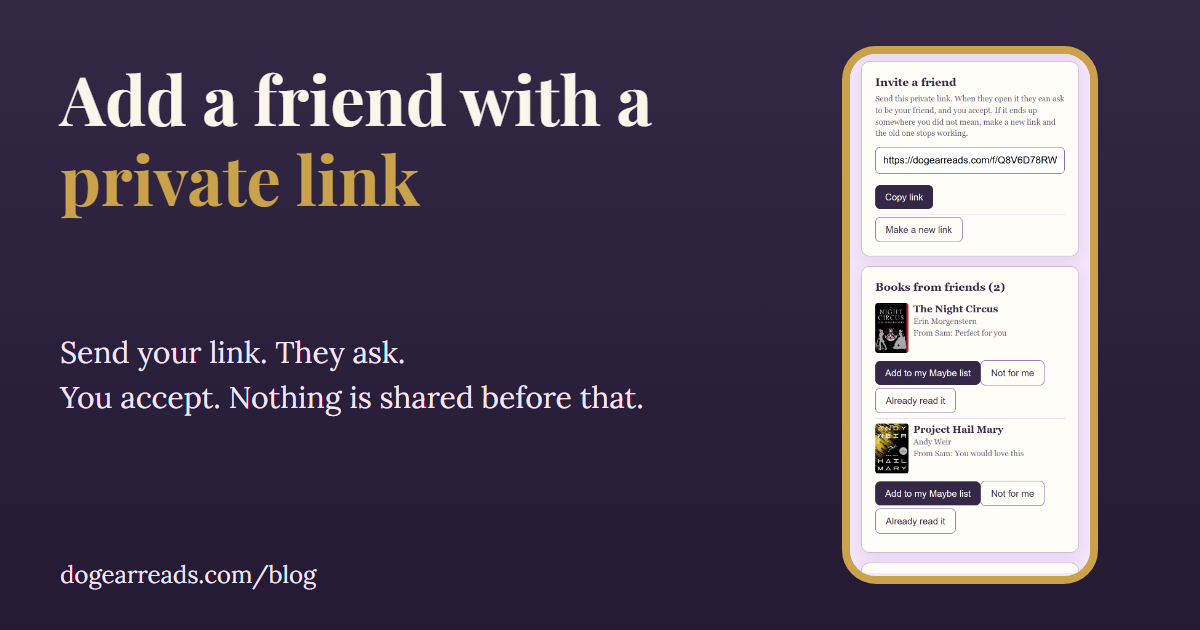
The short answer: to add a friend on Dog-Ear, open Friends, set the name friends will see, copy your private friend link and send it to your friend by Messenger or text. They open it and ask to be friends, you accept, and only then can you visit each other's shelves.
Dog-Ear works by invitation: you invite people you already know with a link you send yourself, and nothing is visible to anyone until you say yes. If you mostly want tips for finding reading friends you do not know yet, jump to where to find reading friends.
Add a friend on Dog-Ear, step by step
- Open Friends and set your name. Open Friends from the menu. Under Your name for friends, type the name you want friends to see and tap Save name. Friends see this name, never your email.
- Copy your private link. Under Invite a friend, tap Copy link. On phones that support sharing there is also a Share button.
- Send the link. Paste it into Messenger, a text, or any chat you already use. Only send it to people you know.
- Your friend opens it and asks. They tap Sign in or start free if they are signed out, set their own name, then tap Ask to be friends.
- Accept the request. Under Requests on your Friends page, tap Accept. Until you do, nobody sees anything of yours.
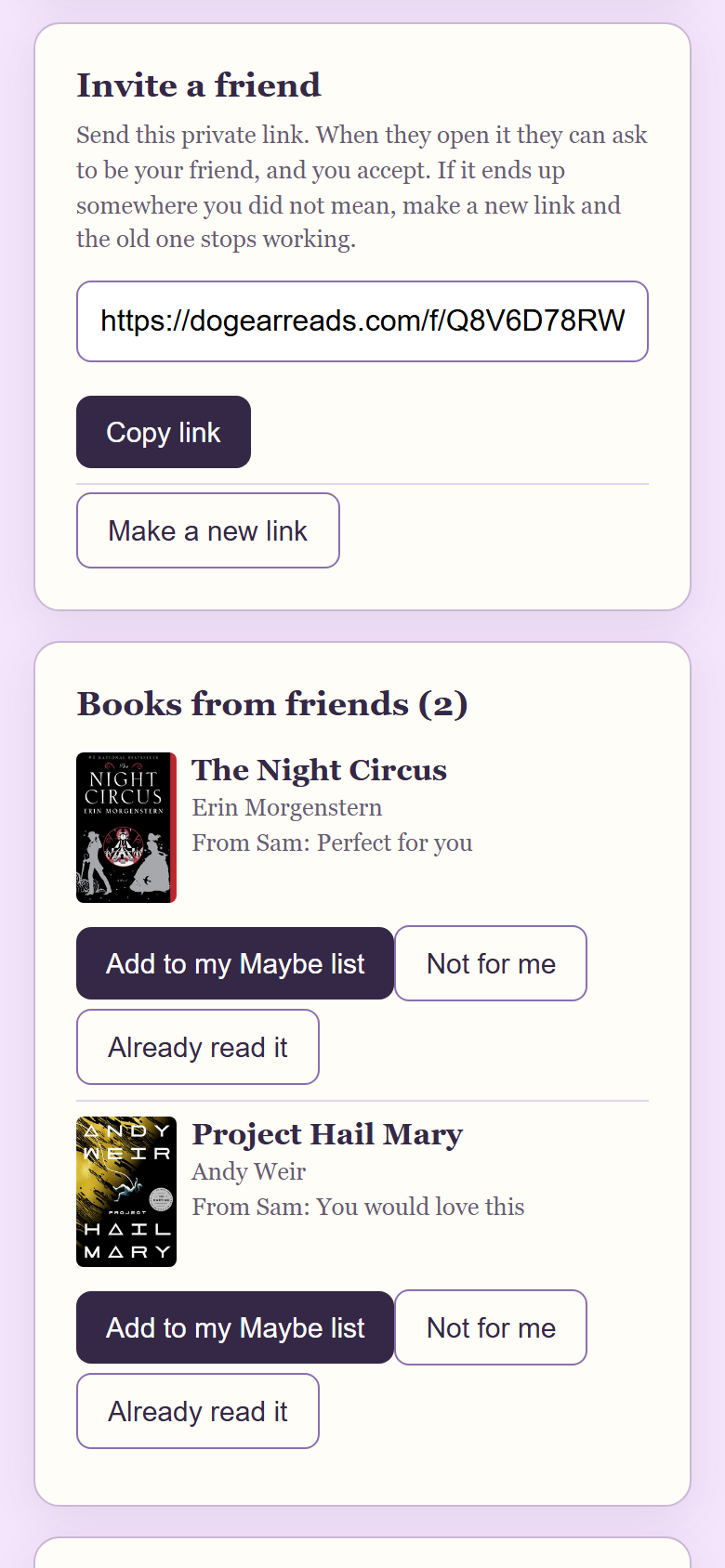
The Invite a friend card in a sample library with two demo readers. The link is private to you.
Friends is free for every Dog-Ear account, free or full. Your friend needs an account too, a free one with no card.
What your friend sees when they open the link
- If they are signed out: a page that says your name invited them, explains that Dog-Ear is a free reading journal, and has a Sign in or start free button. Dog-Ear remembers the invite for about an hour, so after they sign in or make an account they land back on your invite.
- If they are signed in: they go straight to your invite and tap Ask to be friends. If they have not set a name yet, they are asked to do that first.
- If they open it inside Messenger or Facebook: the page tells them to tap the three dots and choose Open in browser, which makes signing in easier.
- If they are on Android: the page shows an Open in the Dog-Ear app link, which tries to open the invite in the Android app. If the app is not installed, it falls back to the sign in page in the browser.
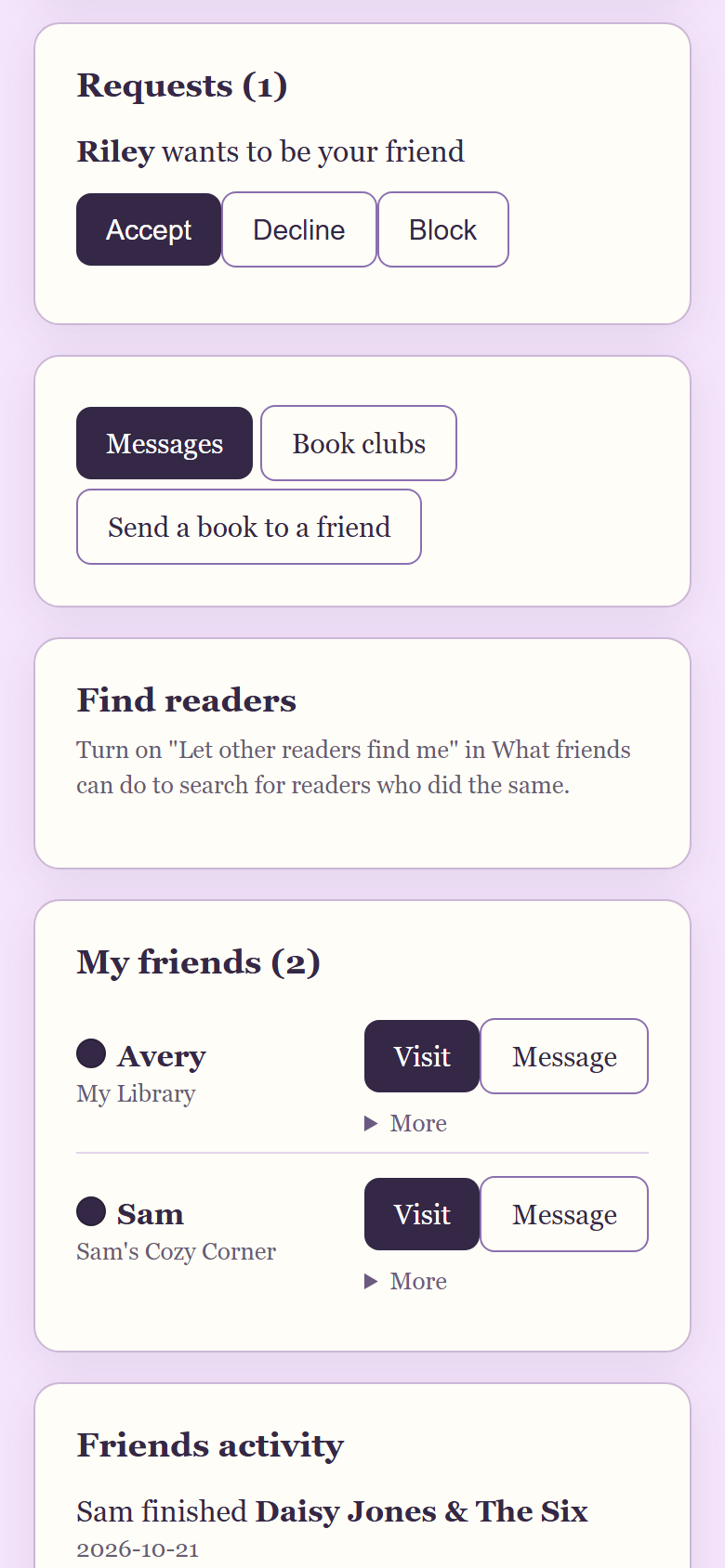
A request waiting for a yes, in a sample library with two demo readers. You can accept, decline or block.
What does Friend request pending mean?
It means you asked and the other person has not said yes yet. It shows on your Friends page under Friend requests pending, with a Cancel request button. Opening the link again does not send a second request. If you both asked each other, the invite says they asked you too and sends you to Friends to accept.
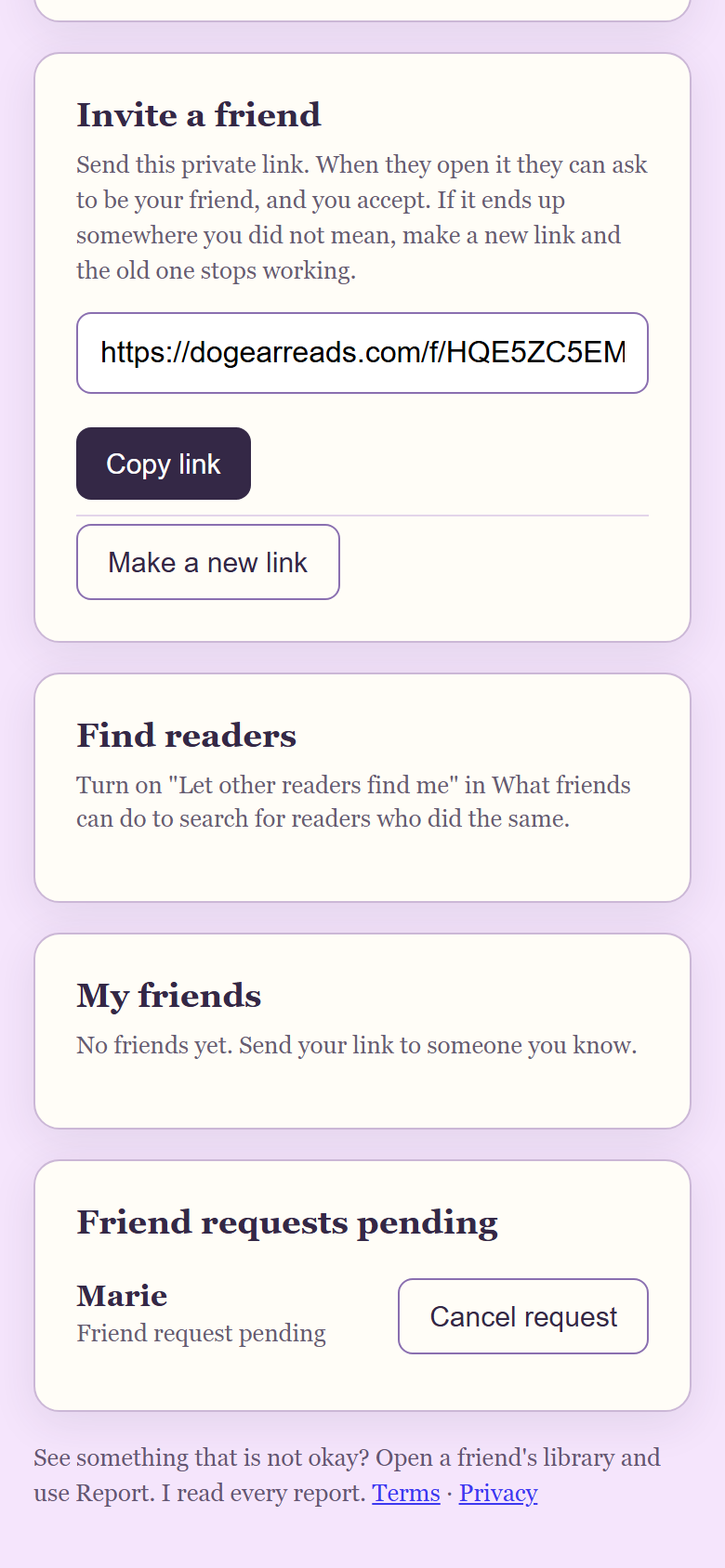
What the person who asked sees, in a sample library with two demo readers.
Three ways to add someone
| Way | How it works | Best for | Who must say yes |
|---|---|---|---|
| Your friend link | You copy your private link and send it. They open it and ask. | Family, real life friends, a group chat | You accept every request |
| Search by name | Both of you turn on being found (18 or older). You search the start of a name, 3 letters or more, and ask. | Readers you know by first name or nickname but have no way to message | They accept every request |
| Add the creator | On the Friends page, tap Add friend on the card for Marie, the creator of Dog-Ear. | A first friend, or a look at a finished shelf | Marie accepts each request herself |
Finding readers by name (opt in, 18 and older)
By default nobody can find you. To be searchable, go to What friends can do on the Friends page, tick Let other readers find me by my name and ask to be friends, and tick I am 18 or older. You need a name set first. Only your name and library name show in a search, and a search only finds readers who turned the same option on. You can search once you have turned it on yourself.
A search needs at least 3 letters from the start of a name and shows up to 10 readers. Every request still needs a yes, and nobody sees your shelves until you accept. To keep it calm there are daily limits: 30 searches and 20 friend requests.
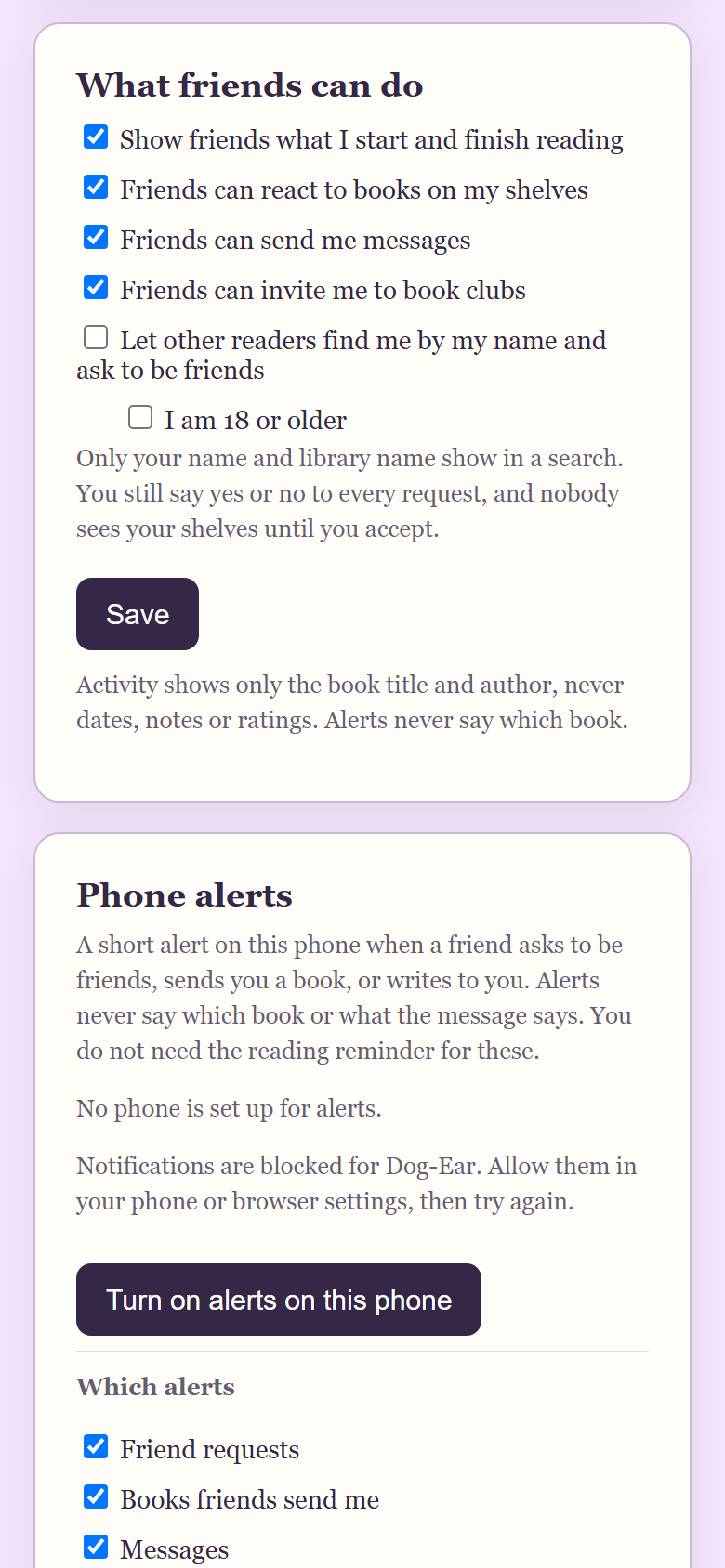
Finding by name is off until you tick it, in a sample library with two demo readers.
Adding Marie, the creator
Every reader can ask to be friends with Marie from a card on their own Friends page (set your name first). She accepts each request herself. The Remove friend button is not shown for her, though you can still block.
Replace your link, decline, remove or block
- Replace your link: tap Make a new link and confirm. The old link stops working and shows "That link is not valid". Friends you already have stay friends.
- Decline: tap Decline on a request and it disappears. Nothing is sent to explain.
- Remove a friend: open More next to their name and tap Remove friend. It also clears your messages with them and any books waiting between you.
- Block: from a request, from More, or while visiting a library. They can no longer see your library or ask again. Unblocking does not make you friends again; you would both have to agree.
- Close your shelves for a while: untick Friends can visit my shelves. Every friend is locked out right away and you stay friends.
What friends can and cannot see
| A friend can see | A friend cannot see |
|---|---|
| Covers, titles and authors of books on your shelves | Your email address |
| Reading status and star ratings | Notes, quotes, journal pages and journal photos |
| Your library name, tagline and shelf look | Reading dates and your wish list |
| Titles you start or finish, if you leave activity sharing on | Anything they could change: a visit is look only |
Friends can also send you a book with a ready-made note, react to a book, message you, and invite you to a book club. Each of those has its own switch on the Friends page. More in how to send a book recommendation to a friend and how to start a book club on Dog-Ear. For the full privacy picture, read who can see your bookshelf on Dog-Ear.
Where to find reading friends
A link only helps if you have someone to send it to. A few places to start, whatever app you use:
- Start with one person. One friend who reads at your pace beats a long list. Ask in a group chat you already have who is reading something right now.
- Library and bookstore clubs. Many libraries and some bookstores host reading groups that meet regularly. Showing up to the same group is what turns acquaintances into friends.
- Online communities. Genre specific subreddits and Facebook groups often run buddy reads.
- Offer one book. "I am starting this, want to read it too?" is an easy first message.
Once you know someone, a Dog-Ear friend link lets you swap shelves privately.
When this is not for you
If you want a fully private library, you can leave Friends alone and nothing changes. Nobody can find you by default, and you share nothing unless you invite someone and accept them. If a link ever ends up somewhere you did not mean, make a new one.
Honest limits
- No contact import. Dog-Ear does not read your phone contacts. You invite people with a link you send.
- No public profiles. There is no page anyone on the internet can browse. Only accepted friends see your shelves.
- Anyone with your link can ask. They still need your yes, but share the link only with people you know.
- Everyone needs an account. Your friend must sign in to Dog-Ear to ask.
Share your shelves with the people you pick
Track your books, then invite a friend with a private link. $29, one time, no subscription for the full version, and Friends is free on every account.
Get Dog-Ear for $29Questions
How do I add a friend on Dog-Ear?
Open Friends, set the name friends will see, and copy your private friend link. Send it to your friend. They open it and tap Ask to be friends, and you tap Accept on your Friends page.
Can people find me on Dog-Ear without my link?
Not unless you choose it. Finding by name is off by default. If you turn it on and confirm you are 18 or older, other readers who did the same can search for your name and ask to be friends. You still say yes or no to every request.
What does Friend request pending mean?
You asked to be friends and the other person has not accepted yet. You can cancel the request from your Friends page.
What can a friend see on my shelves?
Book covers, titles, authors, reading status and star ratings, plus your library name, tagline and shelf look. They cannot see your email, notes, quotes, journal, journal photos, reading dates or wish list, and they cannot change anything.
What if my friend link ends up in the wrong place?
Tap Make a new link on your Friends page. The old link stops working right away. Friends you already accepted stay friends.
Can I import my phone contacts?
No. Dog-Ear does not read your phone contacts. You invite people with a link you send yourself.
Related: How to start a book club on Dog-Ear, How to send a book recommendation to a friend, Who can see your bookshelf on Dog-Ear, Book tracker apps with no subscription.