How does Dog-Ear handle reading app feature requests and your feedback?

The short answer: to send Dog-Ear an idea, open the menu in the online app, choose Ideas and reviews, pick what your message is about and tap Send it to me. A person reads it, and we decide whether to build it now, later or not yet.
We are a small team, and this is how reading app feature requests are handled here: where the form is, what happens after you tap send, and where the limits are.
The first idea that came in
On October 17, 2026, the first idea arrived through the in-app form, from one of our first readers. She asked for two things. When adding a series, she wanted to select more than one book at once. And she wanted to change the color of a decoration, such as the dragon on the shelf.
Here is what happened to it, on the same day.
| The idea | What happened |
|---|---|
| Select more than one book when adding a series | Built and shipped. A Series page now has Select several books: tick the missing books, choose Wish list, Recommended or Preordered, and add them together. |
| Adding and managing whole series | Also added that day. Add a series searches the researched list, Make your own series covers a series that is not in it, Build this series lets you add your own books and numbers, and Remove this series never removes a book. |
| Change the look of a decoration | Partly. Add my own picture moved up under Add decoration with a one line explanation, and books and decorations can now be slid left or right along the shelf in Decorate mode. |
| Recolor the built in dragon | Not yet. We did not build this. |
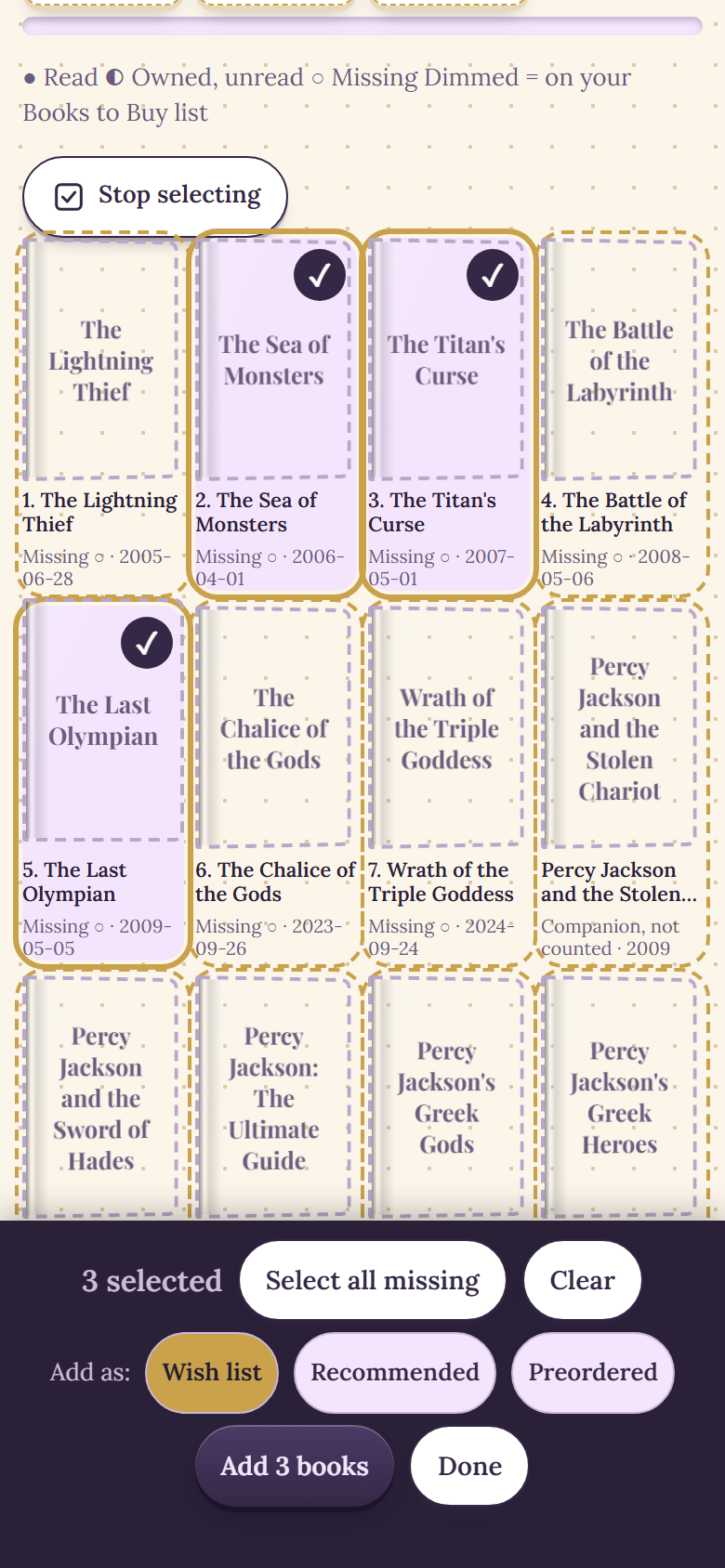
Select several books on a Series page, in a sample library.
Why the dragon is still the same color
Recoloring the built in dragon is not something Dog-Ear does today. What you can do now is upload your own picture, in any color you like, and place it on a shelf like any other decoration. Add my own picture now sits right under Add decoration, so it is easy to find. If more readers ask for recoloring, it moves up the list.
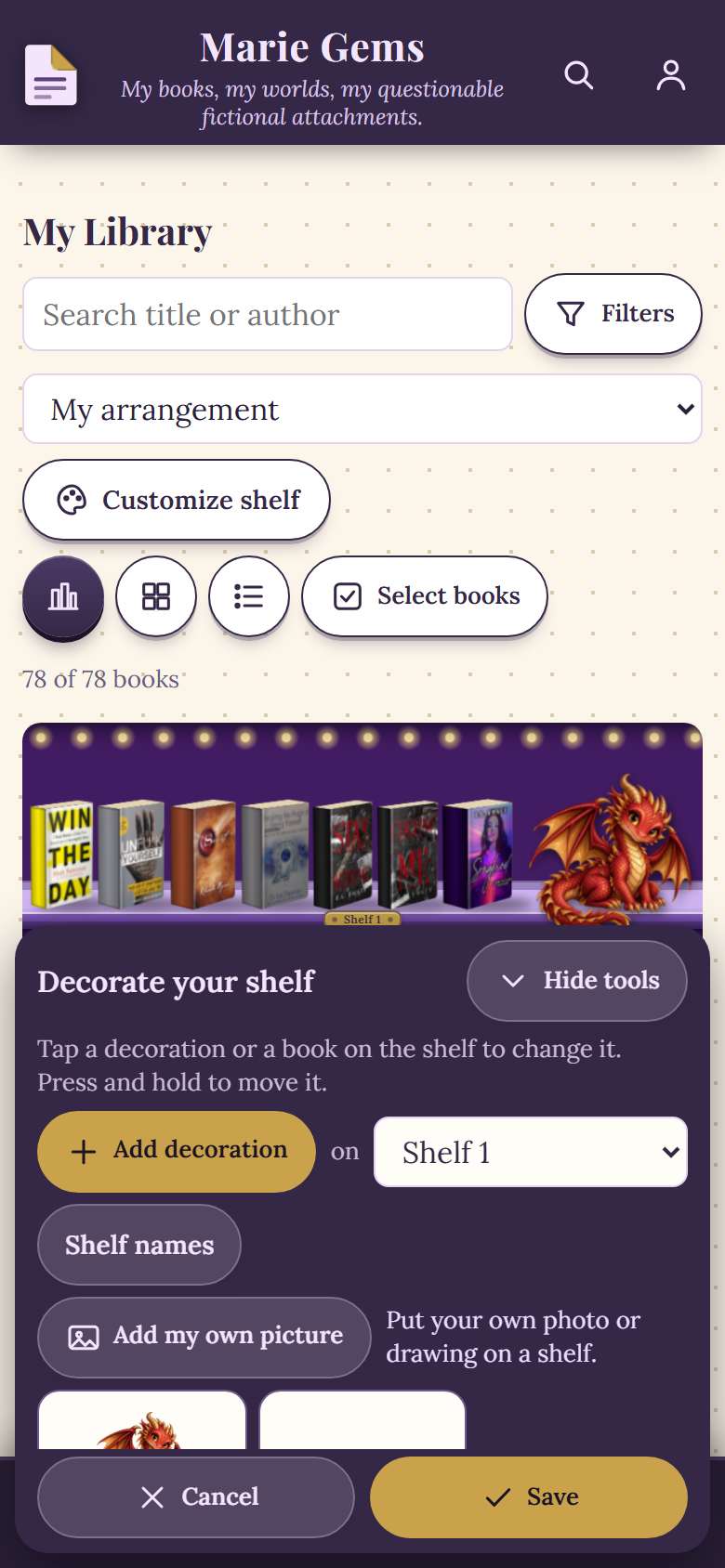
The Add my own picture row in Decorate mode, in a sample library.
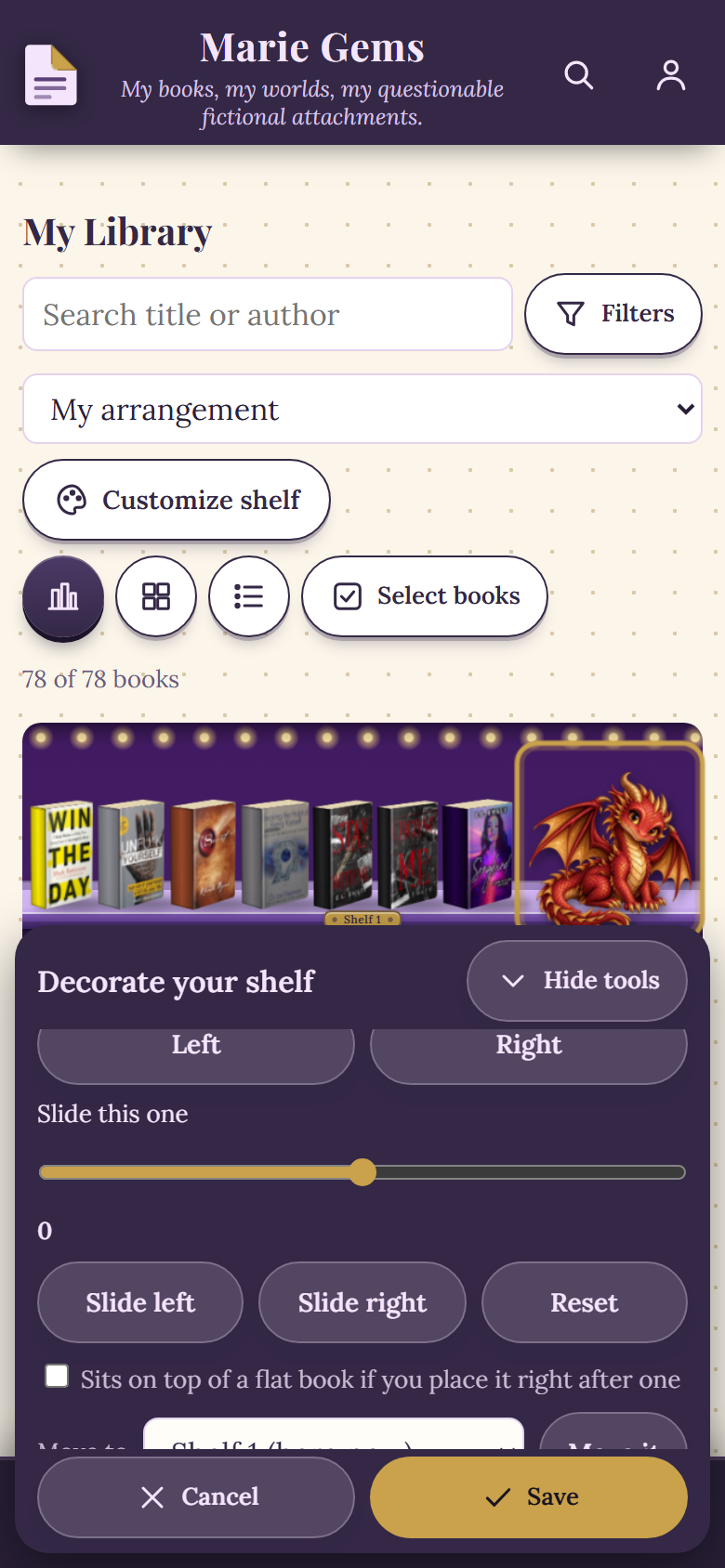
Sliding a decoration along the shelf in Decorate mode, in a sample library.
The details are in our how to posts on your own decorations and your own series.
Where the feedback form is
In the online app, open the menu and choose Ideas and reviews. You can also open Feedback from My profile, or tap Share an idea on the Help shape Dog-Ear note on the home screen once you have a few books (Not now hides that note for 30 days). You need to be signed in, and free and full accounts can both use it.
The form asks two things. First, what the message is about: An idea or a feature request, Something is broken, A question, or Just saying hi. Second, your message, up to 2,000 characters. Tap Send it to me and you see a green note: Thank you! I got your message. A What you have sent list under the form shows your latest messages, and a finished one shows as done.
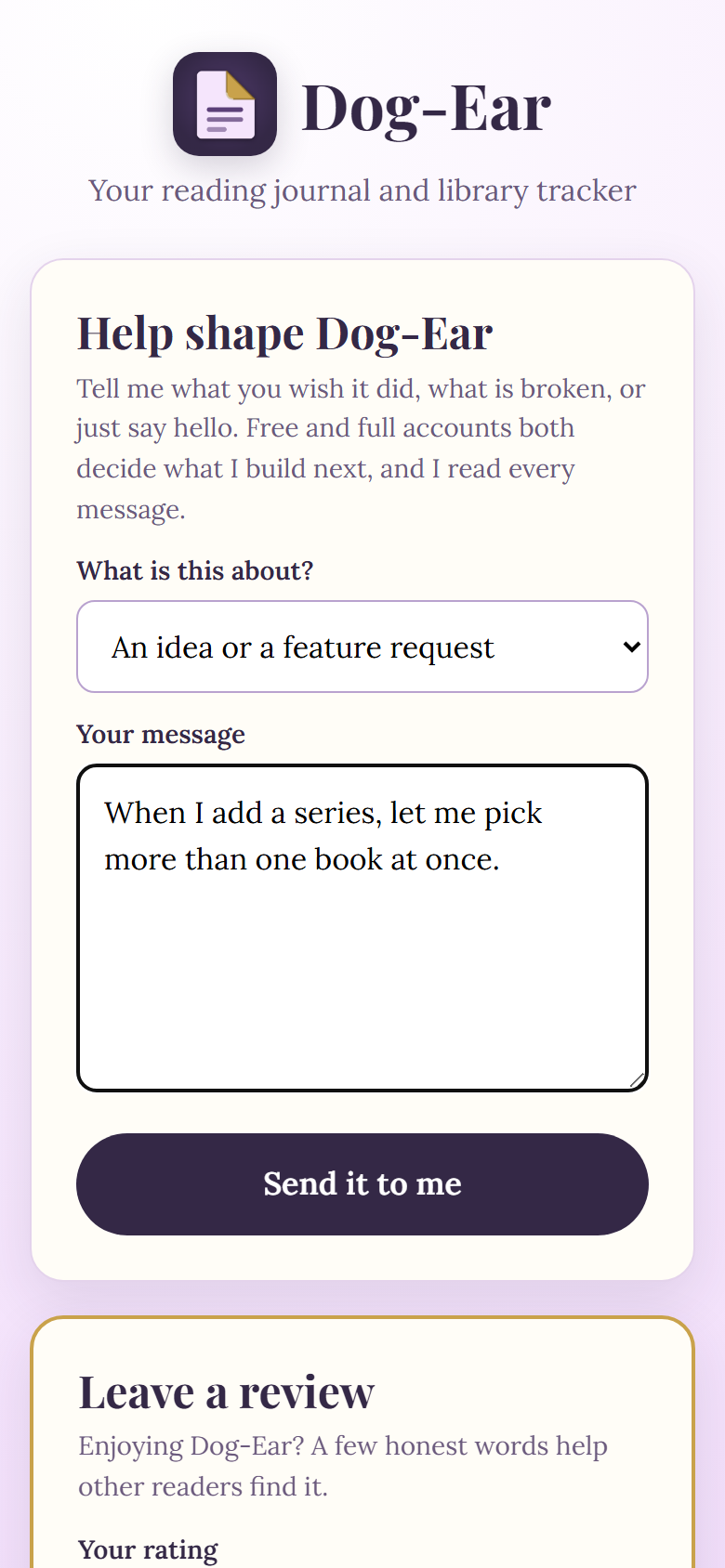
The feedback form, in a sample library.
What happens after you send it
- It is saved and emailed to us. Your message is stored with your account, and an email tells us a new one has arrived.
- A person reads it. We read each message ourselves.
- We decide. We look at whether it fits what Dog-Ear is for, whether it can be added without making the app harder to use, and how many readers ask for the same thing.
- We build and check it. A feature we take on is built, and we run automated checks on it before it goes out.
- You are told. Today, the owner writes back personally. New features also appear on the What is new page in the app, and your message is marked done in your What you have sent list.
We do not publish how many messages come in, and we do not promise when anything will be built. Dog-Ear is shaped by what readers tell us, but we still make the final call on every change.
What we cannot always do
- Not every idea can be built. Some do not fit, and some would make Dog-Ear worse for most readers.
- Some wait. A good idea may wait until more readers ask for it.
- Some answers are not yet. The dragon recolor is one. It is not a no, and it is not a promise.
Reviews work a little differently
The same page has a Leave a review card: a star rating, a few words, and an optional first name. It only goes on the Dog-Ear website if you tick the box that allows it, and we read each one first. Your email is never shown.
Tell us what your shelf is missing
Ideas are welcome from every account. Dog-Ear is one payment, no subscription: $29 one time.
Get Dog-Ear for $29Questions
How do I send an idea to Dog-Ear?
In the online app, open the menu and choose Ideas and reviews, or open Feedback from My profile. Pick what your message is about, write it and tap Send it to me. You need to be signed in.
Will you read my message?
Yes. Every message you send is saved and emailed to us, and a person reads it. We cannot promise a reply time, but today the owner writes back personally.
Will you build my idea?
Not always. Some ideas can be built quickly, some wait until more readers ask for the same thing, and some answers are not yet. We would rather say that plainly than promise something we may not deliver.
Can I report a bug or ask a question?
Yes. The same form has Something is broken, A question and Just saying hi, as well as An idea or a feature request. A short, specific message helps most: what you tapped and what you expected to happen.
Can I leave a review?
Yes, there is a separate Leave a review card on the same page. You give a star rating and a few words. We read each review before it goes up, and it only appears on the Dog-Ear website if you tick the box that allows it. Your email is never shown.
Related: How to add and build your own book series, How to add your own decorations to your bookshelf, How to track book series you own.