Where should you keep your favorite book quotes?
The short answer: Keep them where you will actually write them down, with the book title, the author and the page number beside each one. For many readers that is a phone, because it is the thing already in your hand. A paper notebook is just as good if you carry it. In Dog-Ear, each book page has a Favorite Quotes box, and all your quotes also gather on one Favorite Quotes page in the journal.
You underline a line, tell yourself you will remember it, and a year later you only remember that there was a good line somewhere. That is the whole problem. The best place to keep quotes is the one that costs you the least effort in the moment, because the moment is short. By the time you find a pen, the page has turned.
What should you save with a quote?
A quote on its own is hard to use. Save four things, and the quote will still make sense in five years:
- The words, exactly as written.
- The book title and the author.
- The page number. It lets you find the spot again, or cite it if you share it.
- A few words on why you picked it, if you have a second. This is optional, but it is the part you will be glad of later.
What are your options for keeping quotes?
None of these is the winner for everyone. Pick by how you read.
- A paper notebook or a journal. Handwriting is slower, and many readers enjoy that. A page full of quotes in your own writing has a feeling an app does not. The cost is that you have to have it with you, and it can get lost or damaged. If you like this idea, our look at printable and digital reading journals can help you decide.
- Your phone's notes app. Fast, always with you, and searchable. The weakness is that quotes pile up with grocery lists, with no link to the book.
- Kindle highlights. If you read on a Kindle, highlighting is easy, and the highlights stay in your Kindle account. One reading guide suggests copying them from a computer into your reading notes. It only works for the Kindle books, though.
- A book tracking app. The quote sits next to the book, so you see it when you look at the book. Different apps handle this differently, so look at how each one stores quotes before you commit.
- A quote only app. These exist and are made just for this. They can be good, but they keep your quotes apart from the rest of your reading life.
If you read both paper and Kindle, aim for one place that can hold both. That is the same idea behind tracking Kindle and physical books in one place, though that post is about the books, not the quotes.
How do you save a quote in Dog-Ear?
Dog-Ear keeps quotes with the book they come from.
- Open the book from your library.
- Find the Favorite Quotes box on the book's page.
- Type or paste the quote into the box that says "Paste a quote."
- Add the page number in the small page box if you want to.
- Tap save. The quote is listed under the book.
Every quote you save also appears on the Favorite Quotes page in your journal (the tab on the side says Quotes). Each one shows the quote in large handwriting style type, then the book title, the author and the page, like "Title, Author (p. 212)." Tapping the line takes you to the book. If you have not saved any yet, the page says "Save a quote on any book page and it lands here."
You can delete a single quote from the book page, and Dog-Ear asks you to confirm first. Removing a whole book from your library also removes its notes, quotes and reading history, and Dog-Ear warns you before it does. Keep that in mind before you clear out books you have finished. If you want a copy of anything you care about, our guide to backing up your reading list explains how to take one.
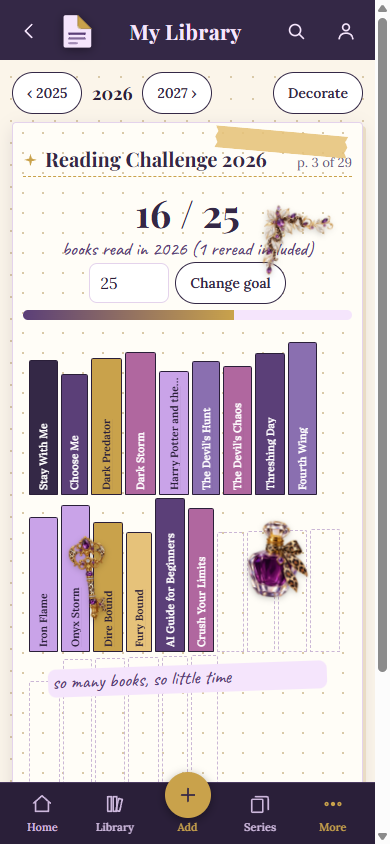
A Dog-Ear journal page with a handwritten note and stickers, in a sample library.
Are your quotes private?
Yes, in Dog-Ear. Friends you accept can see your shelf, your covers, titles, authors, status and ratings, but never your notes, quotes or journal. Our post on who can see your bookshelf lists everything.
A few habits that make quote keeping stick
- Mark the page in the moment, copy it later. Fold the corner, put a sticky tab on it, or take a quick note of the page number. Then spend five minutes at the end of the chapter copying. This keeps you reading.
- Keep it short. A sentence or two is plenty. Long passages are better left in the book.
- Credit the author if you share a quote. Short quotes with the book and author named are the common way to share. If you plan to publish a lot of text from a book, check the rules for that book.
- Review them now and then. A quote you never look at is only storage. Scroll through yours once a month.
When is this not for you?
If you do not collect quotes, skip it. A reading tracker does not have to hold anything but titles and dates. If you already have a system you love, such as a leather notebook, there is no reason to move it.
Keep the line, and the book it came from
If you are curious, Dog-Ear is at dogearreads.com. A notebook and a pen will do the job as well.
Start freeQuestions
What is the best way to save quotes from physical books?
Mark the page as you read, then copy the quote with the title, author and page number into your notebook or an app when you pause. Typing it in later is fine.
Can I keep quotes in a reading journal?
Yes. A paper journal works, and so does a digital one. Dog-Ear has a Favorite Quotes page in its journal that collects every quote you save on a book.
How do I save a quote in Dog-Ear?
Open a book, use the Favorite Quotes box on its page, paste or type the quote, add a page number if you like and save it.
Can my friends see my quotes?
Not in Dog-Ear. Friends you accept never see your notes, quotes or journal.
What should I write with each quote?
The words, the book, the author, the page, and if you can, a short note on why it stuck with you.
Related: Printable vs digital reading journal, How to back up your reading list, Who can see your bookshelf on Dog-Ear?.